Preview




Description
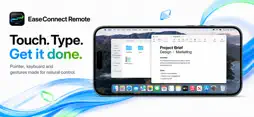
EaseConnect Remote turns your iPad into a responsive remote display and control surface for your computer. See and control your computer in real time with smooth video, system audio, precise pointer movement, keyboard input, scrolling, and multi-touch gestures. Switch between displays or view your complete workspace from one screen. KEY FEATURES • Low-latency desktop screen streaming • System audio on iPad • Precise pointer, click, scroll, and keyboard control • Multiple display support • Adaptive quality for changing network conditions • Automatic discovery on local networks • Secure direct connection • No router configuration or port forwarding Use EaseConnect Remote to keep working away from your desk, monitor long-running tasks, access desktop apps, present from anywhere in the room, or turn your iPad into a flexible desktop companion. REQUIREMENTS The free EaseConnect Remote companion app for macOS must be installed and running on the computer you want to control. Screen Recording and Accessibility permissions are required for streaming and remote control. A paid subscription or the 3-day free trial is required to use this app. Terms of Use (EULA): https://www.apple.com/legal/internet-services/itunes/dev/stdeula/
What's New
Version 1.0.3 2026-10-11
Connecting your Mac is now much easier: open EaseConnect on your Mac, scan the QR code with your iPhone or iPad and you're done. No accounts or settings needed....Connecting your Mac is now much easier: open EaseConnect on your Mac, scan the QR code with your iPhone or iPad and you're done. No accounts or settings needed. • Pair with a QR code, from the app or straight from the Camera app • Simpler setup in two short screens • Connects automatically once paired • Fixed the pointer getting stuck after a click Technical Analysis
Package Overview Basic metadata
Bundle ID
com.juaki.SconnectClient Current Version 1.0.3
Minimum iOS 17.0
Package Size App Store Size
Package Metadata 0 / 0 version records
Detailed binary, privacy manifest, framework, and Info.plist results have not been indexed for this package yet. The verified App Store and archive metadata above remains available.
Developer Information
Known Version Records
0 version records with stored package metadata
Stored metadata does not guarantee a package is currently available to download.
| Details | Version / IDs | Version date | Action |
|---|