
Preview




Description
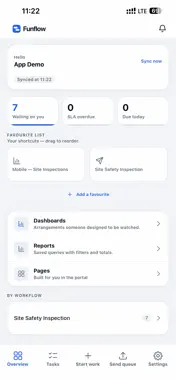
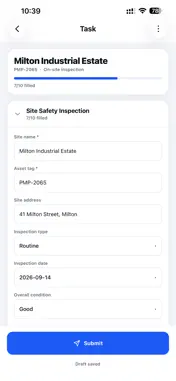
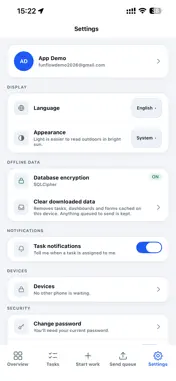
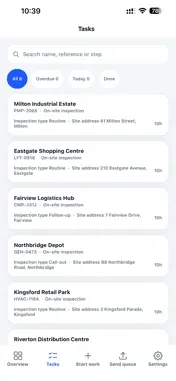
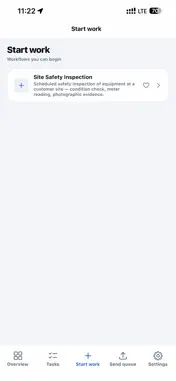
Funflow is the mobile companion to the Funflow workflow platform. Organisations use Funflow to design and manage the work their teams do in the field — including site visits, inspections, service calls, and customer appointments. This app gives field workers access to that work from their mobile device. Your account is created by your organisation. Funflow is designed for businesses and teams using the Funflow platform; if your organisation uses Funflow, they will provide you with the credentials to sign in. WHAT YOU CAN DO See what has been assigned to you Work assigned to you appears in your task list and can arrive as a push notification. Open a task to see who it is for, what is required, and which step comes next. Complete each step with the right form Every step can contain its own form, including text, choices, dates, numbers, and signatures. Required fields are checked before a step can be submitted, helping ensure that incomplete work does not reach the office. Attach photos with location when required Take a photo inside a step or select one from your photo library. Where the workflow requires it, the app records the location associated with the photo so the organisation can verify where the work was performed. Start work yourself Where enabled by your organisation, you can start a new piece of work directly from the app — for example, a walk-in customer or an unplanned visit. It then follows the same workflow as other work. Keep working with no signal Work can continue when there is no internet connection. Submissions are stored securely on the device and sent automatically when the connection is restored. You can see which items are still waiting to be sent. Call from inside the app Where enabled by your organisation, you can call a customer directly from a task without leaving the app. See how you are tracking Dashboards and reports show your progress and the figures your organisation has chosen to make available to field users. BUILT FOR WORK PHONES Funflow is designed for use on work phones. Each account can be used on one device at a time, helping organisations secure access if a device is lost or replaced. Biometric authentication can be used to quickly unlock the app after it has been locked. PERMISSIONS Camera and Photo Library: used to capture or select images and attach them to workflow steps. Location: used only when a workflow requires a location check or when location information is associated with a photo. Location is not tracked continuously in the background. Microphone: used only for calls placed from inside the app, where your organisation has enabled calling. SUPPORT Questions about your account, tasks, or your organisation's workflows should be directed to your organisation's Funflow administrator, who manages these settings through the Funflow platform.
Technical Analysis
Package Overview Basic metadata
Bundle ID
io.funflow.mobile Current Version 1.0.0
Minimum iOS 16.4
Package Size App Store Size
Package Metadata 0 / 0 version records
Detailed binary, privacy manifest, framework, and Info.plist results have not been indexed for this package yet. The verified App Store and archive metadata above remains available.
Developer Information
Known Version Records
0 version records with stored package metadata
Stored metadata does not guarantee a package is currently available to download.
| Details | Version / IDs | Version date | Action |
|---|