Preview




Description
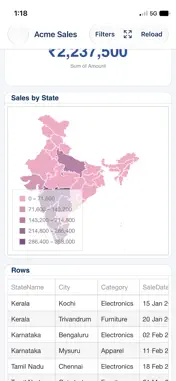
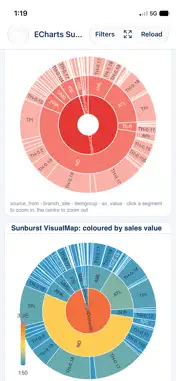
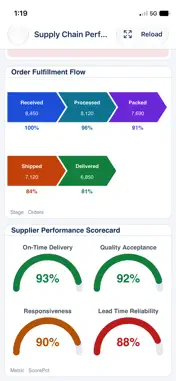
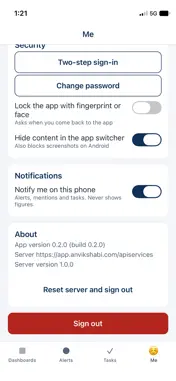
AnvikshaBI is the phone app for AnvikshaBI, the Data Analytics & Reporting Platform by QuiQGenie. IMPORTANT: this app needs an AnvikshaBI account from your organisation. Your organisation's administrator creates your account and must have switched on "Allow Mobile app" for your organisation. You cannot create an account in the app. If you are not sure whether you have one, ask your administrator. WHAT YOU CAN DO - Dashboards: open the dashboards shared with you and see KPI cards, charts, tables and gauges, drawn from your organisation's own AnvikshaBI server. Open a single chart or card full screen, in landscape, when your server supports it. - Filters: narrow a dashboard by values, dates and periods (this month, this quarter, last financial year and more) with a native filter sheet and a date picker. - Alerts: see the alerts that fired for you and the comments that mention you, in one list. Open the related dashboard from an alert when it is linked to one. - Notifications: get a notification on your phone when an alert fires, you are mentioned or a task needs you. Notifications carry short generic text and never show figures. - Tasks: see the tasks assigned to you, change their status, tick off steps and add notes. Create new tasks and edit them (assignee, due date, priority) when your organisation has tasks switched on. - Reports: when your organisation uses AnvikshaBI Reports, run the reports assigned to you and read the PDF in the app. Sharing, saving and printing appear only when your administrator allows them. - Ask: type or speak a question in plain words and get an answer with the figures behind it. Available when your administrator has turned Ask on for you. Answers are AI generated: check important numbers. - Two-step sign-in: set it up in the app with an authenticator app, turn it off, and make new recovery codes, from your own account screen. - App lock: protect the app with your fingerprint, face or phone screen lock. CONNECTING The app opens on the sign-in form. By default it uses the AnvikshaBI cloud service. If your organisation runs its own AnvikshaBI server, type its address or scan the QR code your administrator shows on the AnvikshaBI website (Settings button on the sign-in screen). Then sign in with your company code, user name and password. If you forget your password, "Forgot password?" asks the server to email you a reset link. The server must use HTTPS with a publicly trusted certificate. YOUR PRIVACY - No advertising, no tracking, no analytics and no crash-reporting service in this app. - Your sign-in goes only to your organisation's AnvikshaBI server. Sign-in tokens are kept in the secure storage of your phone (iOS Keychain, Android Keystore). - Business data is shown from your organisation's server and is not kept on the phone, except a temporary private copy of a report PDF that is deleted when you close it or sign out. - The camera is used only to scan the connect QR code. The microphone and speech recognition are used only when you tap the voice button in Ask. WHAT THIS APP IS NOT It is for viewing and acting on existing content. Building dashboards and managing users or settings are done on the AnvikshaBI website. Questions? Open Support from the link on this page, or contact your organisation's administrator for account, access and data requests.
What's New
Version 0.2.7, Build (8) 2026-11-12
added multiple tally reports Technical Analysis
Package Overview Basic metadata
Bundle ID
com.quiqgenie.anvikshabi.mobile Current Version 0.2.7, Build (8)
Minimum iOS 16.4
Package Size App Store Size
Package Metadata 0 / 0 version records
Detailed binary, privacy manifest, framework, and Info.plist results have not been indexed for this package yet. The verified App Store and archive metadata above remains available.
Developer Information
Known Version Records
0 version records with stored package metadata
Stored metadata does not guarantee a package is currently available to download.
| Details | Version / IDs | Version date | Action |
|---|