Preview




Description
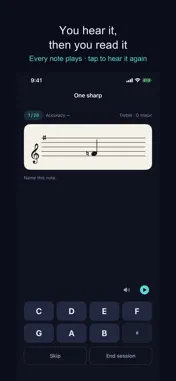
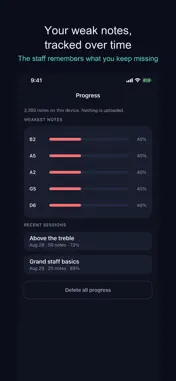
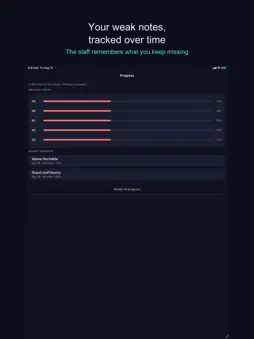
One note. Name it. Next. Most note trainers show you half a staff. Put a low note on a treble staff and it floats away on ledger lines that you never see in real music. This app draws the grand staff by default, both clefs together, with the ledger lines actually there. You hear every note. The note sounds as it appears, and a play button repeats it as many times as you want. Miss one and you hear the correct note too, so the answer arrives through your eyes and your ears at the same time. The tone is synthesised, not a recording, and it plays even with the ringer switch off. Turn it off with the speaker button and everything still works — the play button keeps working when you ask for it. Miss one and it tells you. Get a note wrong and the correct note appears on the staff next to your answer, in green, before the next question comes. At the end of the session you get the list of what you missed. Some apps just skip past an error and leave you guessing. The notes you miss come back. Every answer updates that note's accuracy. Notes you get wrong show up more often, and the same note never appears twice in a row. Two people running the same drill see different orders, because the app is following each of them. 26 drills, and nothing is locked. Treble and bass basics. The grand staff. Around middle C, where readers guess. Three ledger lines above the treble and below the bass. Six key signature drills from one sharp to three flats. Or build your own: pick the clef, drag the range note by note, choose any of the fifteen key signatures, answer by note name or on a keyboard, and set the session length. None of it is behind a payment. No microphone. No MIDI. No account. It plays sound but never listens, and it never connects to an instrument, so there is nothing to fail to detect. It declares no permissions at all. It works on a plane and in a practice room with no signal. Sharps and flats are handled properly. F sharp and G flat are the same key, so answering with the other spelling counts as correct — and the app tells you which spelling this key signature uses. Your progress is stored on this device only. Nothing is uploaded and nothing is collected. Deleting the app deletes it.
Technical Analysis
Package Overview Basic metadata
Bundle ID
com.kimjinwan.notereading Current Version 1.0
Minimum iOS 17.0
Package Size App Store Size
Package Metadata 0 / 0 version records
Detailed binary, privacy manifest, framework, and Info.plist results have not been indexed for this package yet. The verified App Store and archive metadata above remains available.
Developer Information
Known Version Records
0 version records with stored package metadata
Stored metadata does not guarantee a package is currently available to download.
| Details | Version / IDs | Version date | Action |
|---|