Preview




Description
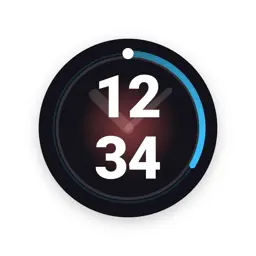
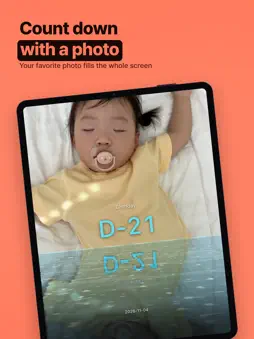
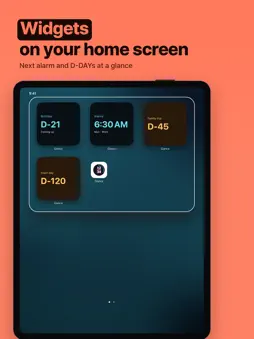
Glance turns your phone into a large clock for your desk or nightstand. Clock, Alarm, Timer, Match, Shower and D-DAY are free in BASIC. See the time at a glance, count down to the days that matter, keep track of a shower, or open a running timer as a calming water clock. Highlights • A large full-screen digital clock in portrait and landscape • Date, 12/24-hour time, a scheduled night mode with 9 night colors, 8 kinds of quiet scenery and friendly companions • Multiple alarms with quick scheduling, a specific date or chosen weekdays; the Weekend shortcut follows your region • Snooze ON/OFF and a 1–60 minute interval measured from the tap, with no app-imposed limit on manual snoozes • Dismiss the current ring without cancelling other alarms or the next scheduled repeat • Multiple named timers with quick presets, repeats and a water-clock view • A match timer with periods, extra time (fixed or random) and time-left voice announcements, in portrait and landscape • Alarms that ring even in Silent mode and Focus • Quick alarms that ring once and leave the list, a timer tile view, and Keep screen on (Always, Only while charging, Off) • Shower elapsed time with a friendly animated companion • D-DAY countdowns that can renew every year • Home Screen and Lock Screen widgets, plus Live Activities for alarms, timers and showers • 32 languages Ads and PRO The main clock and ringing screens have no banner, even in BASIC. Other screens may show one banner. No full-screen ad appears automatically. Completing an optional rewarded ad grants 7 days of PRO. PRO removes banners and unlocks personal photos (a slideshow of up to 10), custom colors for individual clock digits, a custom night color, saved clock looks and a D-DAY photo background. Scenery, decorations and preset colors remain free. Optional support Support purchases are one-time, not an automatically renewing subscription. Candy, Snack and Coffee add 1, 2 and 3 stamps. Verified support purchases grant PRO immediately: 15 days with 1 valid stamp, 30 days with 2, and lifetime PRO with 3 or more. Purchase periods run from the purchase time; restoring does not restart them, and a later existing expiry is preserved. Optional rewarded ads still grant 15 or 30 days with 1 or 2 valid stamps. Each stamp allows one optional public message in the Supporter Hall of Fame. Messages pass a safety review, and messages with links or contact details wait for manual review. Purchase details and local prices are shown before checkout. A separate Restore Purchases button is provided. Restore Purchases does not recover local photos, clock settings or remaining rewarded PRO time. Supporters with at least one stamp can optionally back up settings, clock looks, alarms, timers and D-DAYs (never photos) while they have 3 or more stamps or an active PRO period from a purchase or a verified rewarded ad, and restore them after reinstalling. Restored alarms start turned off. Without a backup, reinstalling may lose this local data. Alarm behavior Requires iOS 26 or later. Alarms use AlarmKit. Alarm delivery depends on permissions and operating-system conditions. Sound, vibration and screen duration follow platform behavior; Glance does not promise endless ringing or alarms when the phone is powered off. There is no automatic snooze for an unanswered alarm. Privacy No account or sign-up is required. Selected photos stay on the device. Settings stay on the device unless you turn on supporter backup. Ads use Google AdMob with Google's consent message (UMP). Glance asks for tracking permission only after that message allows ads. Purchases are verified through RevenueCat, and the support ledger, backups and supporter messages are stored on Cloudflare. Update checks and fonts also use online services. See the Privacy Policy for details.
What's New
Version 1.0.4 2026-11-07
New Match tab: periods, extra time (fixed or random), time-left reminders and voice announcements, in portrait or landscape. The bottom bar now has five slots: ...New Match tab: periods, extra time (fixed or random), time-left reminders and voice announcements, in portrait or landscape. The bottom bar now has five slots: long-press a tab to remove it, and find the rest in More. Quick alarms ring once and disappear. Timers can be shown as tiles. New setting to keep the screen on always, only while charging, or not at all. Technical Analysis
Package Overview Basic metadata
Bundle ID
app.nlap.glance Current Version 1.0.4
Minimum iOS 26.0
Package Size App Store Size
Package Metadata 0 / 0 version records
Detailed binary, privacy manifest, framework, and Info.plist results have not been indexed for this package yet. The verified App Store and archive metadata above remains available.
Developer Information
Known Version Records
0 version records with stored package metadata
Stored metadata does not guarantee a package is currently available to download.
| Details | Version / IDs | Version date | Action |
|---|