
Preview




Description
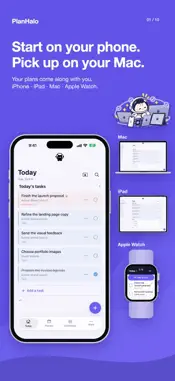
Your whole day, across your Apple devices. PlanHalo brings tasks, events, projects, notes and focus into one personal planner. Capture an idea on iPhone, shape your plans on iPad or Mac, and check off today's tasks on Apple Watch. KEY FEATURES • Today and quick capture See today's tasks, overdue items and completed work together. Add a task quickly, then organize its date, priority, project and reminder. Keep tasks without a date in your Inbox until you are ready to plan them. Exclude individual project tasks from today's list and restore them later. Project data and completion records stay intact. • Year, month, week and day Move between the bigger picture and your daily schedule. On iPhone, tap Year, Month, Week or Day and swipe between periods. Plan tasks, events and time blocks together. Choose daily, weekday, weekly or monthly repeats, then set the interval and ending condition. • Home Screen widgets Keep today's tasks, your planner, project progress, notes, habits and focus close at hand. Use supported actions, such as checking off a task or starting focus, directly from a widget. Choose the information and sizes that fit your Home Screen. • Lock Screen Live Activities Keep today's tasks on your Lock Screen and Dynamic Island. Check tasks on the Lock Screen, hide or show completed items, and move to the next group of tasks. Follow an active focus timer with its own Live Activity. • Project boards Break a bigger goal into manageable steps. Organize project tasks by status and section, and drag cards to update their progress. Keep tasks, notes and project details together. • Notes with room for ideas Write daily, general and project notes. Add headings, lists and checklists, and insert images into note, task and project content. Use search to return to what you need. • Focus and habits Use a focus timer or stopwatch to record time spent on one thing. Make room for breaks, review focus sessions, and build routines with habits and repeating tasks. • Dashboard and insights Choose and arrange the elements on your dashboard. Explore a week, month, year or custom range to review completed tasks, focus time, activity patterns and project progress. • Reminders for today and overdue tasks Get a reminder for today's unfinished tasks and overdue items. The default is every two hours between 9 a.m. and 8 p.m. Change the interval and active hours in Settings, or turn reminders off. Delivery follows your device's notification permissions and settings. • A little cat to keep you company The cat at the top of the app reacts as you type, save, complete tasks and start focusing. Small expressions and movements follow your progress through the day. ON APPLE WATCH • Read and check from your wrist Read today's tasks and mark them complete. Browse your planner, project progress, notes and focus screens from your wrist. Complications and the Smart Stack keep key screens close at hand. A DAY THAT CONTINUES WITH YOU Your records save to your device first and sync between iPhone, iPad, Mac and Apple Watch using the same iCloud account. Continue on Mac with a spacious workspace and a compact notch workspace. Choose from 57 language and locale options in Settings, including Korean, English, Japanese, Chinese, French, German, Spanish and Arabic. Personalize your workspace with a choice of color themes.
What's New
Version 1.2.4 2026-11-07
Adding things on iPhone • The + button now adds what the screen is about: a habit on Habits, a note on Notes, today’s entry on Journal, a category on Categories...Adding things on iPhone • The + button now adds what the screen is about: a habit on Habits, a note on Notes, today’s entry on Journal, a category on Categories. • Everywhere else it adds a task, with a project you can pick. Adding from a project fills that project in. • In Settings, “Always add a task” sends every + to the task composer. The Mac dashboard • Cards fill their columns, so a short card no longer leaves a hole under it. Technical Analysis
Package Overview Basic metadata
Bundle ID
com.planhalo.orbit Current Version 1.2.4
Minimum iOS 18.0
Package Size App Store Size
Package Metadata 0 / 0 version records
Detailed binary, privacy manifest, framework, and Info.plist results have not been indexed for this package yet. The verified App Store and archive metadata above remains available.
Developer Information
Known Version Records
0 version records with stored package metadata
Stored metadata does not guarantee a package is currently available to download.
| Details | Version / IDs | Version date | Action |
|---|