
Preview









Description
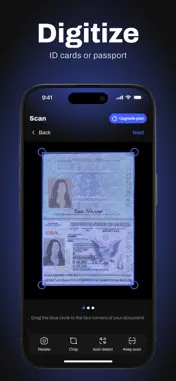
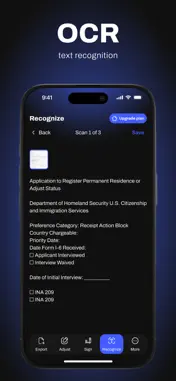
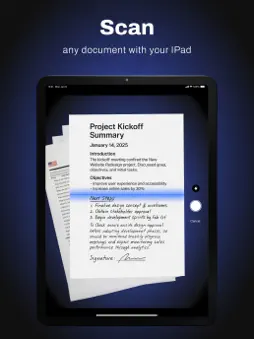
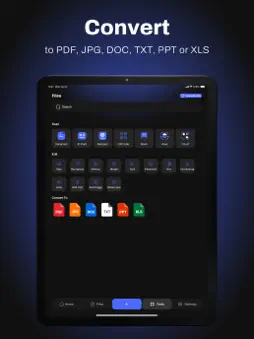
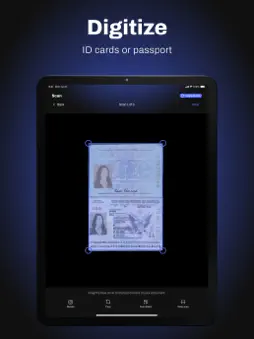
Scaneum: PDF Document Scanner & OCR Turn your iPhone into a fast, portable PDF scanner and document scanner with advanced OCR text recognition. Scan, sign, edit, and convert any document to PDF, JPEG, or Word — anytime, anywhere. Whether you’re in the office, at home, or on the go, Scaneum helps you stay productive and organized. Scan Anything, Anytime • Scan contracts, receipts, invoices, ID cards, and forms in seconds. • Capture notes, textbook pages, photos, and whiteboards with clarity. • Digitize books, papers, and multi-page documents seamlessly. • Convert images (JPEG, PNG) into PDFs or Word files instantly. • Save space with compressed scans without losing quality. Edit, Sign & Annotate • Highlight important text or sections in your scans. • Add notes, comments, or stamps directly on your documents. • Sign PDFs or add your signature to forms and contracts. • Fill out forms digitally and send them back instantly. Powerful OCR Text Recognition • Make any scanned document editable and searchable. • Extract text from receipts, books, or papers for quick editing. • Copy and share text directly from your scans. Easy Export & Sharing • Save to your device, email, or favorite cloud service (Google Drive, Dropbox, iCloud). • Organize scans into folders for quick access. • Share via messenger, AirDrop, or print wirelessly. Multiple Scan Modes • Choose between color, grayscale, or black & white. • Automatic edge detection for perfectly aligned scans. • Batch scanning for multi-page documents. 100% Offline & Secure • All scans are stored securely on your iPhone. • Work without internet — perfect for confidential documents. Why Go Premium? Unlock the full power of Scaneum: • Unlimited scans, folders, and signature tools. • Advanced OCR & document editing. • PDF to Word and image conversions. • Priority customer support. Thousands of users trust Scaneum to boost their productivity every day. Scan smarter, sign faster, and organize better — all from your pocket. Download Scaneum now and turn your iPhone into the only PDF scanner you’ll ever need. Your pocket document scanner is just one tap away. ### More Ways to Use Scaneum Whether you’re a student, professional, or freelancer, Scaneum is designed to handle every scanning need. For business: • Scan receipts for expense tracking and taxes. • Archive invoices, contracts, and agreements in organized folders. • Digitize business cards and quickly extract contact details with OCR. For education: • Scan and store lecture notes, textbook pages, and research papers. • Convert handwritten notes into editable text for easy study. • Share study materials instantly with classmates via email or cloud. For personal use: • Keep copies of IDs, passports, and insurance forms securely on your device. • Scan and sign rental agreements, legal documents, or medical forms. • Capture and save old photographs in high resolution. Supported file formats: • PDF, JPEG, PNG, Word, TXT — choose the format that works for you. • Convert images to PDF or Word in one tap. • Export to cloud services like Google Drive, Dropbox, iCloud, or share via email. Why choose Scaneum? • It’s fast, easy to use, and works completely offline. • Free to download — start scanning immediately. • Upgrade to unlock unlimited scans, folders, advanced OCR, and signature tools. Stay organized and keep all your important documents in one place. From receipts to books, from forms to photos — Scaneum is your all-in-one pocket scanner. By using the app, you confirm that you acknowledge and accept our Privacy Policy and Terms of Use: https://pdfscanner.monster/privacy-policy/ https://pdfscanner.monster/eula/
What's New
Version 1.0.54.70 2025-10-06
This update fixes bugs and improves overall performance for a smoother experience. Thanks for using the app Technical Analysis
Package Overview Basic metadata
Bundle ID
com.pdfscanner.io Current Version 1.0.54.70
Minimum iOS 13.0
Package Size App Store Size
Package Metadata 1 / 44 version records
Detailed binary, privacy manifest, framework, and Info.plist results have not been indexed for this package yet. The verified App Store and archive metadata above remains available.
Known Version Records
1 version record with stored package metadata • 44 known version records
Stored metadata does not guarantee a package is currently available to download.
| Details | Version / IDs | Version date | Action |
|---|---|---|---|
| 91.78 MB | v1.0.54.70 App Store ID: 878660889Build: 1.0.54.70 | 2025-10-06 11:28:37 | Get Version |
| Not archived | App Store ID: 878463428 | Unknown | Request Version |
| Not archived | App Store ID: 878194406 | Unknown | Request Version |
| Not archived | App Store ID: 877571736 | Unknown | Request Version |
| Not archived | App Store ID: 877341141 | Unknown | Request Version |
| Not archived | App Store ID: 877283798 | Unknown | Request Version |
| Not archived | App Store ID: 877179103 | Unknown | Request Version |
| Not archived | App Store ID: 877099395 | Unknown | Request Version |
| Not archived | App Store ID: 876617227 | Unknown | Request Version |
| Not archived | App Store ID: 876409192 | Unknown | Request Version |
| Not archived | App Store ID: 876323686 | Unknown | Request Version |
| Not archived | App Store ID: 876138467 | Unknown | Request Version |
| Not archived | App Store ID: 876068634 | Unknown | Request Version |
| Not archived | App Store ID: 875848576 | Unknown | Request Version |
| Not archived | App Store ID: 875626631 | Unknown | Request Version |
| Not archived | App Store ID: 875537706 | Unknown | Request Version |
| Not archived | App Store ID: 875309030 | Unknown | Request Version |
| Not archived | App Store ID: 875213145 | Unknown | Request Version |
| Not archived | App Store ID: 875097373 | Unknown | Request Version |
| Not archived | App Store ID: 875080033 | Unknown | Request Version |
| Not archived | App Store ID: 873779603 | Unknown | Request Version |
| Not archived | App Store ID: 873761447 | Unknown | Request Version |
| Not archived | App Store ID: 873694831 | Unknown | Request Version |
| Not archived | App Store ID: 873493062 | Unknown | Request Version |
| Not archived | App Store ID: 873402109 | Unknown | Request Version |
| Not archived | App Store ID: 873247151 | Unknown | Request Version |
| Not archived | App Store ID: 873111689 | Unknown | Request Version |
| Not archived | App Store ID: 872962287 | Unknown | Request Version |
| Not archived | App Store ID: 872888455 | Unknown | Request Version |
| Not archived | App Store ID: 872876257 | Unknown | Request Version |
| Not archived | App Store ID: 872808679 | Unknown | Request Version |
| Not archived | App Store ID: 872785286 | Unknown | Request Version |
| Not archived | App Store ID: 872725924 | Unknown | Request Version |
| Not archived | App Store ID: 872715104 | Unknown | Request Version |
| Not archived | App Store ID: 872601136 | Unknown | Request Version |
| Not archived | App Store ID: 871726355 | Unknown | Request Version |
| Not archived | App Store ID: 871413124 | Unknown | Request Version |
| Not archived | App Store ID: 871365184 | Unknown | Request Version |
| Not archived | App Store ID: 871235222 | Unknown | Request Version |
| Not archived | App Store ID: 871174924 | Unknown | Request Version |