
Preview







Description
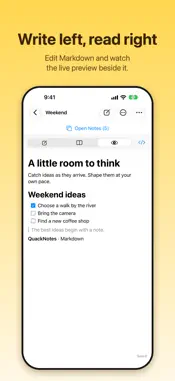
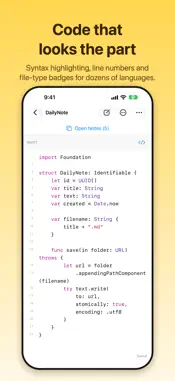
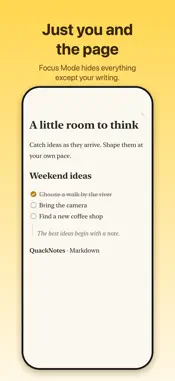
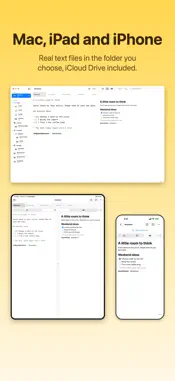
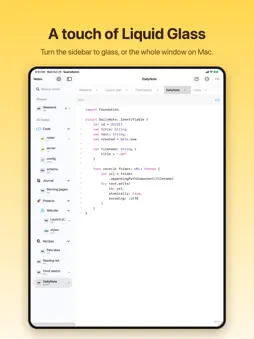
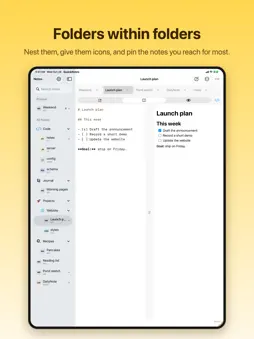
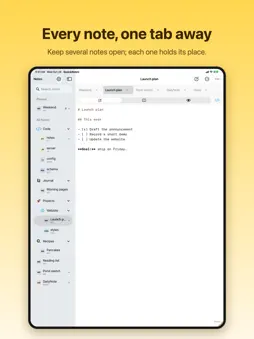
QuackNotes is a notes and code-snippet editor for Mac, iPhone, iPad, and Apple Vision Pro. Every note is a real text file. Write in plain text, Markdown, or your favorite programming language, with automatic saving and no proprietary format. YOUR FILES, YOUR WORKSPACE Use the built-in library or choose a folder of your own. Browse folders and subfolders, drag notes between them, pin favorites, and search by title or content. Open supported files directly from Finder or Files, or import a copy into your library. WRITE AND CODE • Syntax highlighting for Swift, Python, JavaScript, TypeScript, Java, Kotlin, C/C++, C#, Go, Rust, Ruby, PHP, Shell, SQL, JSON, YAML, HTML, CSS, and more. • Choose from over 90 editor themes and customize your font, size, and line spacing. • Preview Markdown with headings, lists, interactive task checkboxes, tables, blockquotes, links, and fenced code blocks. • Edit and preview together on Mac and iPad. On iPhone, switch between writing and preview. PICK UP WHERE YOU LEFT OFF Keep independent tabs in each window. Reorder tabs and reopen a closed tab. Open notes retain their cursor, scroll position, and undo history when you switch between them. iPhone offers a compact Open Notes menu; iPad supports hardware-keyboard shortcuts and an adjustable preview split. WRITE WITH CONFIDENCE See your save status, retry a failed save, or save a recovery copy. External file changes refresh automatically, and conflicting edits are protected from being overwritten. Restore deleted notes and folders from Recently Deleted. MADE FOR YOUR DEVICE On Mac, capture ideas from the menu bar or with a global shortcut. Choose opaque, translucent, or Liquid Glass window backgrounds and keep your window above other apps. On iPhone and iPad, use the editing toolbar for lists, tasks, bold text, links, and hiding the keyboard. Larger tab controls, Dynamic Type in the iOS editor, and support for Reduce Motion and Reduce Transparency help you make the workspace comfortable. Available in English, Spanish, French, German, Italian, Portuguese (Brazil), Japanese, Simplified Chinese, and Korean.
What's New
Version 1.9 2026-10-29
Siri, Spotlight and widgets. • Find notes in Spotlight by their title or anything written in them. Pinned and recent notes come first, and sketches show as thu... Technical Analysis
Package Overview Basic metadata
Bundle ID
dev.quackbyte.QuackNotes Current Version 1.9
Minimum iOS 26.0
Package Size App Store Size
Package Metadata 0 / 0 version records
Detailed binary, privacy manifest, framework, and Info.plist results have not been indexed for this package yet. The verified App Store and archive metadata above remains available.
Price History (USA store)
3 recorded price change points. These are historical observations, not a guarantee of the current price.
| Recorded at | Price | Currency |
|---|---|---|
| 3.99 | USD | |
| 1.99 | USD | |
| 3.99 | USD |
Developer Information
Known Version Records
0 version records with stored package metadata
Stored metadata does not guarantee a package is currently available to download.
| Details | Version / IDs | Version date | Action |
|---|