
Preview





Description
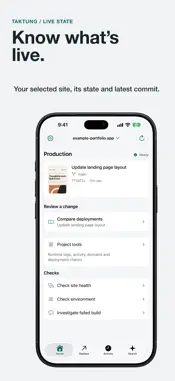
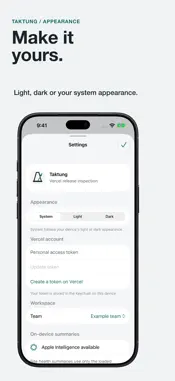
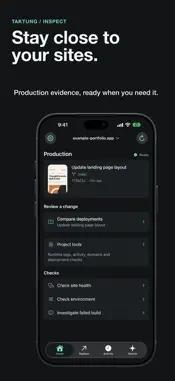
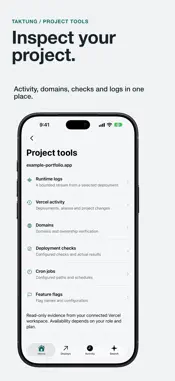
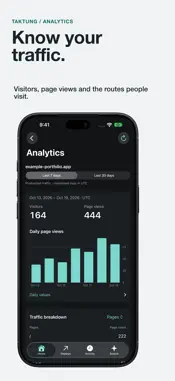
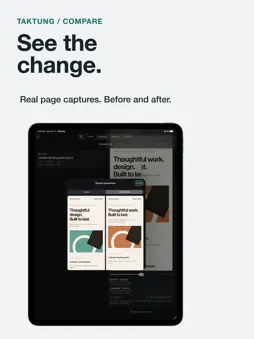
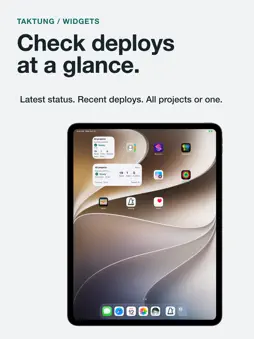
Check your Vercel deployments from your iPhone or iPad. Taktung brings production status, website analytics, build logs, visual comparison and a local Field Log into one place. - See your site's production state and recent deployments, and what changed since you last looked. - Search deployments in plain words, such as “failed preview builds yesterday” or “last successful deploy on main”. Results come straight from Vercel. - Follow Vercel Web Analytics usage: visitors, page views, daily traffic, top pages, referrers, countries and devices. Choose a 7-day or 30-day period within your Vercel plan’s reporting window. Web Analytics must be enabled and installed on the website. - Compare real page captures with a reveal slider or side-by-side view. Save a baseline for the next deployment. - Investigate failed builds with their key log lines, searchable build logs and a bounded live runtime log stream. - Inspect project activity, domains, deployment checks, cron schedules and feature flag names. - Check environment variable names and targets without exposing values. - Keep checks, comparisons and personal notes in a local Field Log. Search it in your own words, summarize the last 7 days, or export it as text. - Optionally add recent deployments and Field Log notes to Spotlight. - Add small, medium or large Home Screen widgets. Choose all projects or one project; the large widget also shows recent deployment activity. - Ask Siri for deployment status, or use Shortcuts to inspect a project and check its loaded signals. - Review and confirm redeploy, promote and rollback actions. Connect with a Vercel personal access token, stored in the device Keychain. Taktung calls Vercel directly; history and saved baselines stay on this device, separated by account and team. Choose Light, Dark or System appearance. Layouts adapt to iPhone, expanded iPhone Duo and iPad. On compatible devices with Apple Intelligence available, Taktung can read unusual search phrasing, explain a failed build in one sentence and summarize site briefs, all on the device. Every feature works without it. Optional tips in Settings support Taktung’s development. Tips can be repeated and do not unlock features or start a subscription. Requires iOS 27 or later and a Vercel account. Taktung is not officially affiliated with or endorsed by Vercel.
What's New
Version 1.9.0 2026-10-28
Search now works on every iPhone and iPad. Ask in plain words, like “failed preview builds yesterday” or “last successful deploy on main”, and Taktung asks Verc... Technical Analysis
Package Overview Basic metadata
Bundle ID
com.jcollins.takt Current Version 1.9.0
Minimum iOS 27.0
Package Size App Store Size
Package Metadata 0 / 0 version records
Detailed binary, privacy manifest, framework, and Info.plist results have not been indexed for this package yet. The verified App Store and archive metadata above remains available.
Developer Information
Known Version Records
0 version records with stored package metadata
Stored metadata does not guarantee a package is currently available to download.
| Details | Version / IDs | Version date | Action |
|---|