
Preview






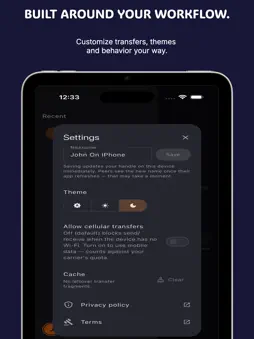

Description
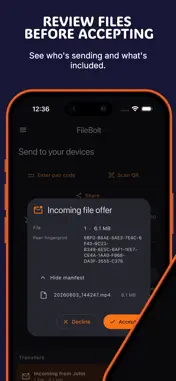
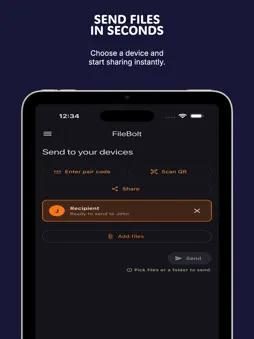
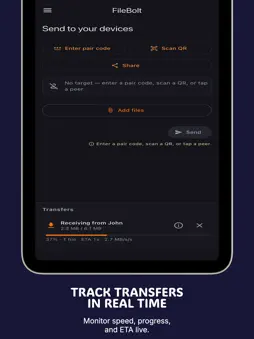
FileBolt is a private file transfer app for sending files and folders from your iPhone or iPad to phones, computers, and web browsers. Pair two devices with a QR scan or a 6-digit code, choose what you want to send, and start the transfer. FileBolt works across iOS, iPadOS, macOS, Android, Windows, Linux, and the web, so you can move photos, videos, documents, ZIP files, APKs, and folders without creating an account. FileBolt uses encrypted WebRTC data channels for transfers. On the same Wi-Fi, LAN discovery helps nearby devices connect quickly and use local network speed. On different networks, FileBolt can fall back to an encrypted relay so transfers can still complete behind restrictive routers or firewalls. The relay forwards encrypted traffic and does not store your files. Key features: - Send files and folders between devices - Pair with a QR code or 6-digit code - No account, signup, login, or email required - Encrypted peer-to-peer transfers using WebRTC - LAN discovery for nearby same-Wi-Fi transfers - Encrypted relay fallback when direct connection is blocked - Cross-platform: iPhone, iPad, Mac, Android, Windows, Linux, and Web - No ads and no in-app purchases - Your files are not uploaded to FileBolt cloud storage Use FileBolt to move photos from iPhone to Mac, send a large video to a Windows PC, share project folders with another computer, receive files in a browser, or move documents between devices without a cable. FileBolt is built for simple private transfers: open, pair, choose files, send. Privacy Policy: https://filebolt.app/privacy/ Terms Of Service: https://filebolt.app/terms/
Technical Analysis
Package Overview Basic metadata
Bundle ID
com.cozypixels.filebolt Current Version 1.0.15
Minimum iOS 15.5
Package Size App Store Size
Package Metadata 1 / 1 version records
Detailed binary, privacy manifest, framework, and Info.plist results have not been indexed for this package yet. The verified App Store and archive metadata above remains available.
Developer Information
Known Version Records
1 version record with stored package metadata
Stored metadata does not guarantee a package is currently available to download.
| Details | Version / IDs | Version date | Action |
|---|---|---|---|
| 47.28 MB | v1.0.15 App Store ID: 886080960Build: 1.0.15 | 2026-06-11 21:44:25 | Get Version |