
Preview





Description
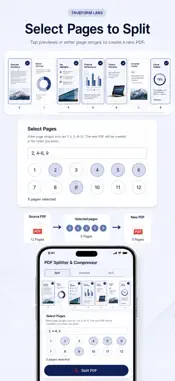
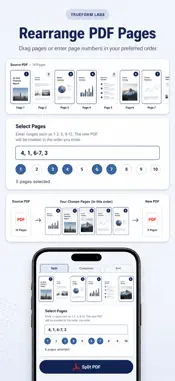
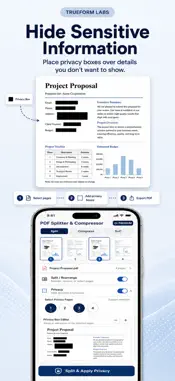
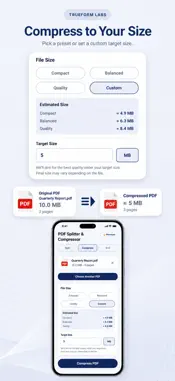
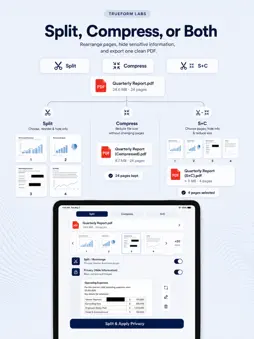
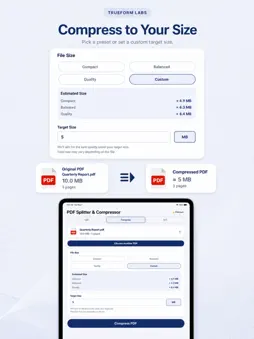
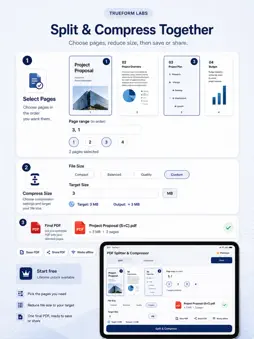
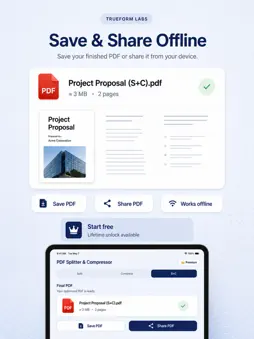
PDF Splitter & Compressor lets you select and rearrange pages, hide sensitive information, and reduce PDF file size in one offline app. SPLIT & REARRANGE PDFS • Choose individual pages or enter page ranges • Drag page previews into your preferred order • Keep only the pages you need • Preview and adjust pages before creating the new PDF HIDE SENSITIVE INFORMATION • Select the PDF pages you want to protect • Add permanent black Privacy Boxes over sensitive information • Move and resize Privacy Boxes directly on the page preview • Apply Privacy together with splitting, rearranging, and compression COMPRESS PDFS • Reduce PDF file size with simple presets • Choose Compact, Balanced, or Quality • Set a custom target size when you need more control • Use KB or MB for your preferred target range SPLIT + COMPRESS • Select and rearrange pages • Hide sensitive information when needed • Compress the resulting PDF to your target range • Complete multiple PDF tasks in one streamlined workflow OFFLINE & PRIVATE Your PDF files are processed directly on your device. No file upload is required for splitting, rearranging, privacy protection, or compression. SAVE & SHARE Rename your output file, save the finished PDF, or share it directly from the app. Start with 3 free uses. Unlock Premium with a one-time Lifetime Unlock for unlimited PDF tools.
What's New
Version 1.1.5 2026-10-01
What's New in Version 1.1.5 • Under-the-hood improvements and optimizations for a smoother, more reliable experience. Technical Analysis
Package Overview Basic metadata
Bundle ID
com.trueformlabs.pdfcompressor Current Version 1.1.5
Minimum iOS 15.1
Package Size App Store Size
Package Metadata 0 / 7 version records
Detailed binary, privacy manifest, framework, and Info.plist results have not been indexed for this package yet. The verified App Store and archive metadata above remains available.
Developer Information
Known Version Records
0 version records with stored package metadata • 7 known version records
Stored metadata does not guarantee a package is currently available to download.
| Details | Version / IDs | Version date | Action |
|---|---|---|---|
| Not archived | App Store ID: 892303151 | Unknown | Request Version |
| Not archived | App Store ID: 889723211 | Unknown | Request Version |
| Not archived | App Store ID: 889523769 | Unknown | Request Version |
| Not archived | App Store ID: 889399280 | Unknown | Request Version |
| Not archived | App Store ID: 889138977 | Unknown | Request Version |
| Not archived | App Store ID: 888802934 | Unknown | Request Version |
| Not archived | App Store ID: 886290489 | Unknown | Request Version |