
Preview




Description
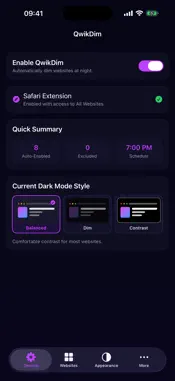
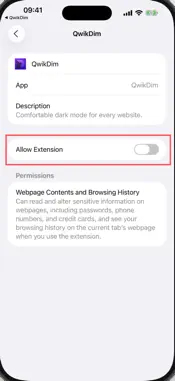
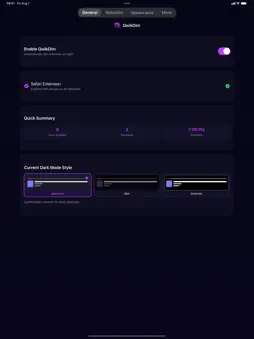
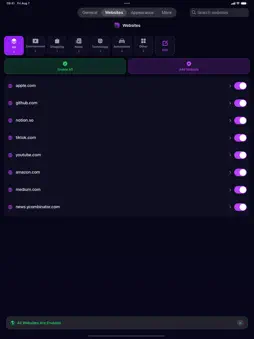
Browse more comfortably at night with QwikDim, a Safari extension that gives websites a consistent, adjustable dark appearance. KEY FEATURES • Turn QwikDim on or off globally • Auto-enable or exclude individual websites • Choose Balanced, Dim, or Contrast styles • Adjust intensity, grayscale, image brightness, and colors • Schedule dark mode by time and day • Follow the system appearance • Apply settings across page frames and respect existing website themes GET STARTED 1. Open QwikDim and tap Safari Extension. 2. Enable QwikDim in Settings → Apps → Safari → Extensions. 3. Allow access to All Websites. 4. Return to Safari and browse normally. PRIVACY QwikDim processes page appearance on your device. It does not create an account or send browsing data to our servers. Some websites may require a refresh after changing extension permissions or settings.
What's New
Version 1.0.2 2026-08-24
Images now keep their original colors in dark mode. Improved image dimming for photos, app icons, and dynamically loaded graphics. Technical Analysis
Package Overview Basic metadata
Bundle ID
app.qwiktools.qwikdim.ios Current Version 1.0.2
Minimum iOS 17.0
Package Size App Store Size
Package Metadata 0 / 0 version records
Detailed binary, privacy manifest, framework, and Info.plist results have not been indexed for this package yet. The verified App Store and archive metadata above remains available.
Developer Information
Known Version Records
0 version records with stored package metadata
Stored metadata does not guarantee a package is currently available to download.
| Details | Version / IDs | Version date | Action |
|---|