
Preview



Description
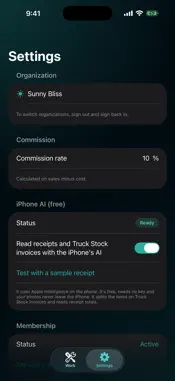
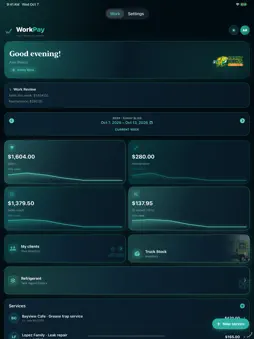
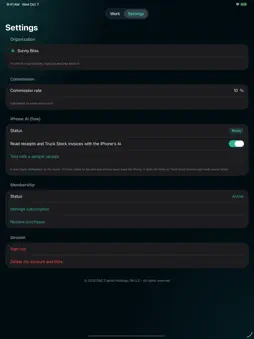
WorkPay is the work log for field technicians: the week's services, your commissions, your clients and your truck inventory, in one place. YOUR WEEK • Log each service with its amounts; WorkPay calculates your commission with the rates you set. • Weekly totals, ready to check against your pay. • PDF reports (commission worksheet, material request, refrigerant tank report) ready to send. YOUR TRUCK • Truck Stock inventory: take a photo of the supplier invoice and WorkPay reads the parts and prices for you. • Keep track of the materials used on each job. FASTER • Siri and the iPhone's Apple Intelligence to log work without typing. • Share a dispatch message to WorkPay to start a new service with the client already filled in. PRIVATE Your work stays on your iPhone and in your private iCloud. No ads, no tracking. MEMBERSHIP WorkPay requires the WorkPay Monthly membership, an auto-renewable subscription billed by Apple. Payment is charged to your Apple Account when you confirm the purchase. The subscription renews automatically unless it is canceled at least 24 hours before the end of the current period, and renewal is charged within the 24 hours before the period ends. Manage or cancel it any time in Settings > [your name] > Subscriptions. Terms of Use: https://www.apple.com/legal/internet-services/itunes/dev/stdeula/ Privacy Policy: https://dcch.us/workpay/privacy
What's New
Version 1.3 2026-10-27
New: Import from PayWise. In Settings, tap "Import from PayWise" and pick a PayWise backup file to bring over your Work history — weekly services, purchases and... Technical Analysis
Package Overview Basic metadata
Bundle ID
com.dc.WorkPay Current Version 1.3
Minimum iOS 26.5
Package Size App Store Size
Package Metadata 0 / 0 version records
Detailed binary, privacy manifest, framework, and Info.plist results have not been indexed for this package yet. The verified App Store and archive metadata above remains available.
Developer Information
Known Version Records
0 version records with stored package metadata
Stored metadata does not guarantee a package is currently available to download.
| Details | Version / IDs | Version date | Action |
|---|