
Preview


Description
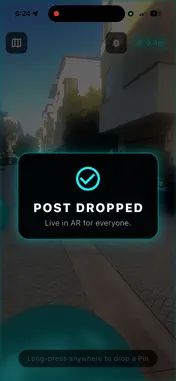
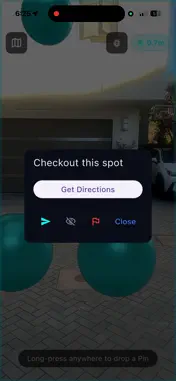
Post lets you leave digital notes on real buildings. Walk up, point your phone, hold to charge, and drop your message right onto the surface. It stays anchored there in 3D space for anyone else to find. We built Post on top of Google's ARCore Geospatial API and their Visual Positioning System. That means the app recognizes the actual visual features of buildings around you and matches them against Google Street View data to figure out exactly where you are, down to about a meter. Your notes are not just floating in space. They are locked to real GPS coordinates and altitude, and they survive between sessions and across devices. HOW IT WORKS Open Post and point your iPhone at a building. The accuracy badge in the corner will turn cyan once the Visual Positioning System has locked on (usually takes about 2 to 5 seconds). A reticle in the center of your screen snaps to the building surface. Long press to charge your pin, release to drop it, then type your message. That's it. You just left a mark on the real world. WHAT YOU CAN DO Tag your favorite restaurant with a recommendation. Leave a note on a friend's building. Drop delivery instructions at a front door. Mark a hidden trail or a great view. Every building and landmark becomes a surface you can write on. THE TECH BEHIND IT Post combines ARKit, ARCore Geospatial, and StreetscapeGeometry to understand the 3D structure of the buildings around you. This is not marker-based AR and it does not require QR codes or pre-mapped spaces. It works on any street that Google has covered with Street View. What that means in practice: - Sub-meter positioning accuracy using Visual Positioning - Building-aware anchoring through StreetscapeGeometry - Real-time surface detection with haptic feedback as you aim - Context-aware quick messages based on what kind of building you are looking at - Persistent anchors that stay put even after you close the app PRIVACY Debug logs round your coordinates to 4 decimal places (about 11 meters of precision). We never store your location with more accuracy than we need, and camera data stays entirely on your device. REQUIREMENTS - iPhone 8 or newer with ARKit - iOS 15.0 or later - Works best outdoors in daylight with a clear view of buildings - The VPS needs to see building facades to lock on, so open areas without structures may not work This is version one. We are building a spatial web and this is the first layer. Step outside and leave your first mark.
Technical Analysis
Package Overview Basic metadata
Bundle ID
com.post.spatial Current Version 1.0
Minimum iOS 13.0
Package Size App Store Size
Package Metadata 0 / 0 version records
Detailed binary, privacy manifest, framework, and Info.plist results have not been indexed for this package yet. The verified App Store and archive metadata above remains available.
Developer Information
Known Version Records
0 version records with stored package metadata
Stored metadata does not guarantee a package is currently available to download.
| Details | Version / IDs | Version date | Action |
|---|