
Preview





Description
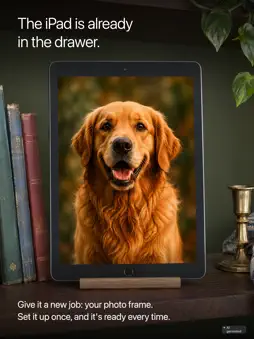
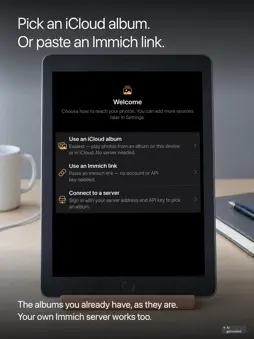
The iPad is already in the drawer. Give it a new job: your photo frame. Set it up once, and it's ready every time. Pick an iCloud album or paste an Immich link: OwnFrame shows the albums you already have, as they are, full screen and calm. PICK YOUR ALBUM • iCloud album: albums from your Photos library, including iCloud Shared Albums (with full access to your photos). • Immich link: paste the album link someone sent you. If the link has a password, you're asked for it. Works with Immich v3 or newer over HTTPS. • Share an Immich link to OwnFrame from Safari or another app; it plays when you open OwnFrame. • Your own Immich server works too, with an album browser for its albums. NEW PHOTOS ARRIVE ON THEIR OWN • Share an album with your loved ones: someone adds a photo to the shared album in Photos or Immich on their phone. OwnFrame shows it. • While OwnFrame is open, it checks Immich albums and Immich links for new photos every hour; iCloud albums update as soon as iOS has synced them. • A small card says "+1 new photo", and the slideshow keeps playing. THE SLIDESHOW • Every transition is included: crossfade, slide and dissolve. • Shuffle or date order, 5 seconds to 5 minutes per photo, fit or fill, preview or original quality. • Tap for pause, previous, next and photo info (the date, plus the place for Immich photos). • Keeps playing when the network drops. ON THE WALL, ON ALL DAY • Dims as low as you like and keeps the screen awake. • Keep-awake, brightness, the hourly check and Home Assistant run while OwnFrame stays the app in front. On a dedicated frame, Guided Access keeps it there. • Runs on iPad and iPhone with iPadOS or iOS 17 or later. HOME ASSISTANT • Add your MQTT broker (TLS with a valid certificate, plus a login) and the frame shows up in Home Assistant with its status: what's playing, photo count, availability, and battery level on battery devices. Sending the current photo as an image is opt-in. • Home Assistant sees the frame for free; controlling it from Home Assistant is part of the Supporter Unlock. Both work while OwnFrame is in front. FREE, WITH ONE OPTIONAL UNLOCK • The frame is free and stays whole: every kind of album, the full slideshow, brightness and keep-awake, photo info, the album browser, the offline cache, hourly updates, the new-photos card and Home Assistant status. • The Supporter Unlock adds Ken Burns motion (a slow pan and zoom), the clock overlay, Home Assistant control and seven Shortcuts and Siri actions. • A one-time purchase, never a subscription. Once bought, it keeps working offline. • Family Sharing is on, and one purchase covers iPad and iPhone. • Where your money goes: the Supporter Unlock covers the project's running costs (developer account, AI tools, test hardware), and everything beyond that goes back to open-source projects that serve the community. PRIVACY • No extra cloud. Photos come straight from your iCloud albums or Immich to your device. • Your Immich API key, Immich link passwords and Home Assistant broker login are stored only in the device keychain. • No data is collected. • The source code is public under the Functional Source License (FSL-1.1-MIT), a Fair Source licence that becomes MIT after two years: github.com/kipp-ing/OwnFrame GOOD TO KNOW • OwnFrame only shows photos; adding and removing them happens in Photos or Immich. • OwnFrame dims the screen down low; switching the display off entirely is something iOS keeps for itself. • Immich servers need a valid HTTPS certificate. • Videos are skipped; Live Photos appear as stills. OwnFrame is an independent app, not affiliated with or endorsed by Immich or FUTO.
What's New
Version 1.2 2026-10-01
Initial release. Technical Analysis
Package Overview Basic metadata
Bundle ID
ing.kipp.Immich-Slideshow Current Version 1.2
Minimum iOS 17.0
Package Size App Store Size
Package Metadata 0 / 0 version records
Detailed binary, privacy manifest, framework, and Info.plist results have not been indexed for this package yet. The verified App Store and archive metadata above remains available.
Known Version Records
0 version records with stored package metadata
Stored metadata does not guarantee a package is currently available to download.
| Details | Version / IDs | Version date | Action |
|---|