Preview




Description
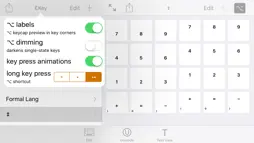
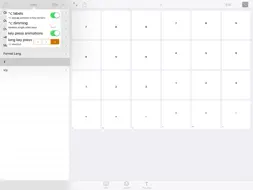
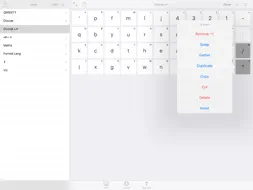
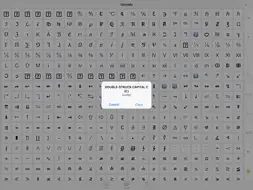
Build your own keyboard - you choose the keys! Great for maths & science work, fans of more obscure keyboard layouts, or just better expressing yourself. Scroll down for an overview of the premade layouts and a detailed feature breakdown. NOTES • Add the keyboard by navigating to Settings -> General -> Keyboard -> Keyboards -> Add New Keyboard… • Unicode characters may not display correctly in some fonts. • Check out the subreddit at reddit.com/r/ckey/ OVERVIEW • Add keys to your keyboard, which can type any text of any length. • Organise related keys into multiple pages (‘panes’). • Includes handy editing features and plenty of options. • Built-in unicode character picker for finding new characters to add to your keyboard. • Editable text view for trying out your keyboard designs. DEFAULT LAYOUTS • QWERTY, Dvorak, Dvorak Left Handed - Layouts inspired by the originals, with an original collection of symbols. - Use a reduced number of keys to accommodate smaller screens. • Symbols: contains some more rarely used symbols not present on the standard layouts. • Maths: a layout designed for general maths, with digits, pi & infinity, and a wide set of operations. • Formal Languages: an example of a more complex, specialist layout. • Superscript & Subscript • x/y: all unicode fractions. FEATURES Keyboard: • Your keys - the main content of the keyboard. • Multiple panes, to organise related keys. • A space key. • Control keys: backspace, keyboard picker, dismiss, return. • Alternate key forms. - Hold a key to type it's alt form. - Use the alt key to temporarily switch the forms around. - Alternate forms could be capital letters, inverse operations, or something completely different. • Swipe left on the pane list to give your keys more room in longer typing sessions. - Swipe in from the left edge to bring the list back. App: • Edit panes and keys in a view resembling the keyboard itself. - Tap a key to change what it types: + Keys can type any number of any unicode characters, multiline text supported. + Optionally use a custom keycap, instead of showing the key's output. + Edit the alt mode version of the key by tapping with alt mode enabled. - Hold a key to bring up the edit menu: + Edit [with 1 selected] - bring up a larger version of the key editor. + Swap [with 2 selected] - switch the positions of two keys. + Gather [with >1 selected] - collect the selected keys at one spot. + Remove alt - remove the custom alt state, making the key match its normal state in alt mode. + Duplicate - quickly clone a key. + Cut, copy, and paste - use their established meanings (the pasteboard is shared between panes). + Delete - deletes a key. + Insert - inserts a key at the spot of the current selection. - Enter edit mode for serious changes: + Drag (before selecting anything) to reorder. + Tap keys to select/deselect them, then hold one to bring up the edit menu and perform a batch change. - Hold the + button to add a batch of keys, by splitting text into its individual characters (or unicode scalars). - Set the number of rows and columns in each pane by tapping the pane editor's title. • The unicode character map allows you to add a character to a key directly, or copy one to the clipboard. - Enter a search, or jump to a common region or known unicode codepoint. - Hold a character to view details. • Editable text view, for checking out how characters look at different font sizes and weight, or just testing your latest keyboard design. - Switch through iOS keyboard types. - Set the keyboard's return key type. - View the keyboard in light & dark variations. - Set text font, alignment, and size. • Export individual panes, or your whole keyboard, for sharing or backup. - Creates a .ckey file (uses .plist format). - Use iOS's ‘Open In…’ feature to load the file back into the app. • Additional options to customise the look and feel of the keyboard.
What's New
Version 1.11 2016-12-21
Version 1.11 - big fixes come in small updates. The big things: • Unicode search results now appear live! :D - Known issue: presses may act oddly while searc...Version 1.11 - big fixes come in small updates. The big things: • Unicode search results now appear live! :D - Known issue: presses may act oddly while search results are being added. :( • Are you a pro spy, needing to take notes while hiding in cupboards? Fear not, for key clicks can now be muted! • Fixed the keyboard's dark appearance! - Sorry to any users who encountered this regression for not being able to fix this sooner; I'll try to be more careful in the future to prevent this sort of issue making it out in the first place. The notable things: • Added a jump option to the popup that displays after long-pressing a search result, to show the result in context. The little things: • Editing a pane's name now temporarily hides the pane's visibility toggle, to give more room. • Improved the reliability of the keyboard's ‘hide pane list’ swipe gesture. (Specifically, the background behind the list now also captures the swipe) The foreshadowing: • I've identified that most of the keyboard's loading time is not down to loading data, but constructing/rendering the views. Armed with this knowledge, I'm more prepared than ever to achieve snappy load times! • I'm planning on bumping the version number up to 2, in one of the next couple of updates. This should come with a big increase in customisability. Technical Analysis
Package Overview Package analysis available
Bundle ID
james.Custom-Keyboard Current Version 1.11
Minimum iOS 9.0
Package Size Latest Recorded Package Size
Package Metadata 1 / 5 version records
Additions
Additions v1.0iOS 8.0+688.85 KB
Shared
james.Shared v1.11iOS 9.0+501.83 KB
Known Version Records
1 version record with stored package metadata • 5 known version records
Stored metadata does not guarantee a package is currently available to download.
| Details | Version / IDs | Version date | Action |
|---|---|---|---|
 4.97 MB | v1.11 App Store ID: 841667024Build: 2 | 2021-04-20 15:19:52 | Get Version |
| Not archived | App Store ID: 820217005 | Unknown | Request Version |
| Not archived | App Store ID: 819922221 | Unknown | Request Version |
| Not archived | App Store ID: 819696513 | Unknown | Request Version |
| Not archived | App Store ID: 819260720 | Unknown | Request Version |