
Preview




Description
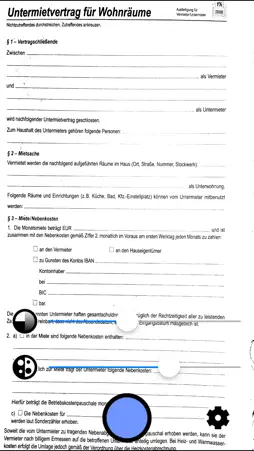
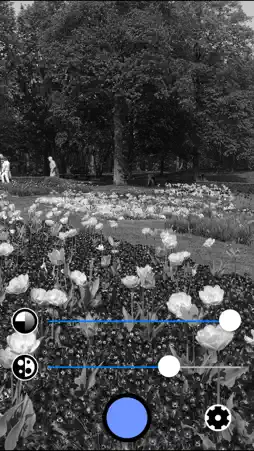
Instantly scan documents with your iPhone or iPad camera, ready to be printed, filed or emailed. Other apps are slow and complicated, have too many controls, make you sign up for services, or require you to edit and tweak every page. None of that here: just line up the document and click! The scans are automatically stored in your camera roll. Photography is also a popular use for this app. Simply Scan out-hipsters all the hipster photo apps if you use it to take gritty black-and-white photos. Features • super-fast realtime filter lets you see how your scans will look instantly. • captures printable pages even in bad lighting conditions. • saves high-quality scans at the maximum native camera resolution. • rapid capture: line up the next page instantly while the previous page is saving. • saves straight to its own photo album, ready for emailing, printing, or filing. • adjust whiteness level in realtime, if needed. • automatic conversion to grayscale, ready for printing. • optional "256 shades" add-on to turn Simply Scan into a high-powered black-and-white camera with full grayscale control. • sleek, minimal look - no glitter and chrome. It works like this: 1. Hold your device over the page you want to scan. 2. If needed, adjust the whiteness slider to get clear text and images. 3. Press the camera shutter button. 4. Repeat step 3 for every page. 5. Go to the "Scans" album in your photo roll to share, print, or store your scans. Note, you need to give permission for Simply Scan to access your photo library. This can be changed later in the Settings app. "Kokosnuss" scans by Dean Whitbread.
What's New
Version 1.1.8 2023-06-06
- bug fixes - performance improvements - updated to latest iOS Technical Analysis
Package Overview Package analysis available
Bundle ID
com.disconnectionist.lightningscan Current Version 1.1.8
Minimum iOS 12.0
Package Size App Store Size
Package Metadata 2 / 8 version records
FBLPromises
org.cocoapods.FBLPromises v1.1.11iOS 9.0+195.81 KB
FirebaseCore
org.cocoapods.FirebaseCore v1.1.11iOS 10.0+200.91 KB
FirebaseCoreInternal
org.cocoapods.FirebaseCoreInternal v1.1.11iOS 10.0+421.55 KB
FirebaseInstallations
org.cocoapods.FirebaseInstallations v1.1.11iOS 10.0+296.92 KB
GoogleUtilities
org.cocoapods.GoogleUtilities v1.1.11iOS 9.0+321.83 KB
nanopb
org.cocoapods.nanopb v1.1.11iOS 9.0+84.89 KB
4.0 / 5.0 (4 ratings)
Known Version Records
2 version records with stored package metadata • 8 known version records
Stored metadata does not guarantee a package is currently available to download.
| Details | Version / IDs | Version date | Action |
|---|---|---|---|
 6.45 MB | v1.1.11 App Store ID: 857503742Build: 1.1.11 | 2023-06-05 06:00:38 | Get Version |
| Not archived | App Store ID: 830321700 | Unknown | Request Version |
| Not archived | App Store ID: 829562248 | Unknown | Request Version |
| Not archived | App Store ID: 829413914 | Unknown | Request Version |
| Not archived | App Store ID: 824934514 | Unknown | Request Version |
| Not archived | App Store ID: 84173925 | Unknown | Request Version |
| Not archived | App Store ID: 81072772 | Unknown | Request Version |
 793.52 KB | v1.0 App Store ID: 47482771Build: 1.0 | 2013-09-22 20:32:14 | Get Version |