Preview





Description
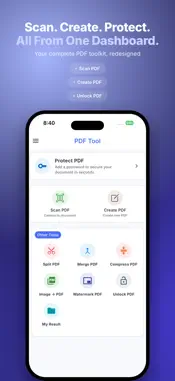
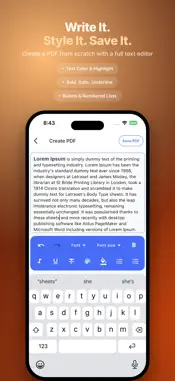
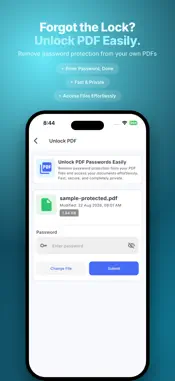
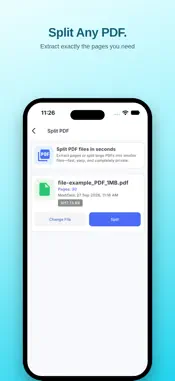
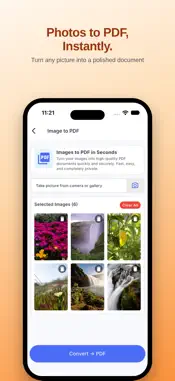
# PDF Tools: Lock, Edit & Scan Your all-in-one PDF toolkit for creating, scanning, editing, protecting, and managing PDF documents. PDF Tools brings nine useful PDF utilities together in one simple application. Create documents with customized text, scan documents with OCR, protect PDFs with passwords, unlock files, merge documents, split pages, compress files, convert images to PDF, and add watermarks. ## NINE USEFUL PDF TOOLS ### 1. PDF Password Protect Protect your important PDF documents with a password and add an extra layer of security. ### 2. Unlock PDF Remove password protection from PDF files when you know the correct password and are authorized to access the document. ### 3. Create PDF – Custom Text Editor Create PDF documents from scratch using your own text and formatting. - Write custom text. - Change text colors. - Customize font sizes. - Apply text styling. - Format and align content. - Export your document as a PDF. Create notes, letters, reports, and simple documents. ### 4. PDF Scanner with OCR Scan physical documents and convert them into digital PDFs. - Capture documents using your camera. - Import supported images. - Extract text using OCR. - Recognize printed document content. - Convert scanned documents into PDF files. ### 5. Merge PDF Combine multiple PDF documents into one file. ### 6. Split PDF Extract selected pages or divide large PDF files into smaller documents. ### 7. Compress PDF Reduce PDF file sizes to make documents easier to store and share. ### 8. Image to PDF Convert supported images and photos into PDF documents. ### 9. Watermark PDF Add text watermarks to identify, label, and personalize PDF documents. ## OFFLINE FUNCTIONALITY Use supported PDF tools without an internet connection. No account registration or sign-up is required. ## PRIVACY-FOCUSED EXPERIENCE - No sign-up required. - No tracking, according to the app's privacy practices. - Offline processing for supported features. - Convenient PDF management tools. ## ONE APP FOR YOUR PDF NEEDS Whether you are a student, teacher, professional, or everyday user, PDF Tools helps you create, scan, protect, and organize your documents. Download PDF Tools: Lock, Edit & Scan and simplify your everyday PDF workflow.
What's New
Version 1.2.0 2026-11-10
PDF Scanner with OCR Create PDF – Custom Text Editor Unlock PDF Technical Analysis
Package Overview Basic metadata
Bundle ID
com.onlysoft.pdfpasswordpro Current Version 1.2.0
Minimum iOS 15.6
Package Size App Store Size
Package Metadata 0 / 0 version records
Detailed binary, privacy manifest, framework, and Info.plist results have not been indexed for this package yet. The verified App Store and archive metadata above remains available.
Developer Information
Known Version Records
0 version records with stored package metadata
Stored metadata does not guarantee a package is currently available to download.
| Details | Version / IDs | Version date | Action |
|---|