
Preview




Description
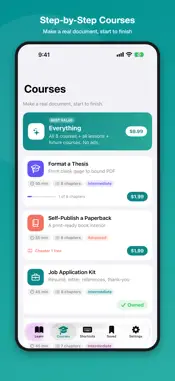
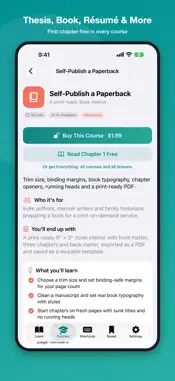
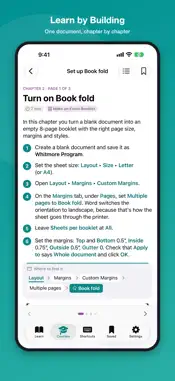
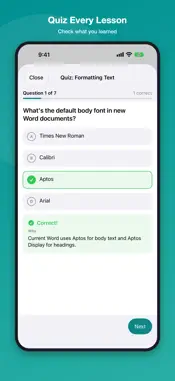
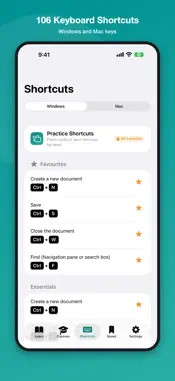
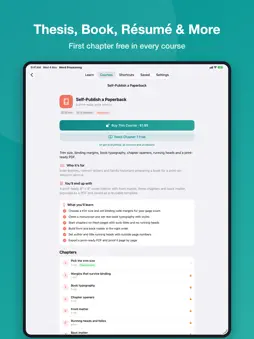
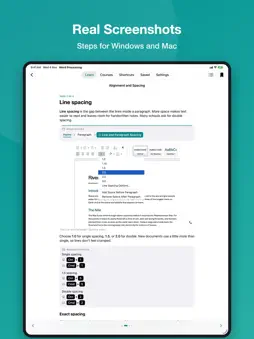
Learn Word step by step, from your first document to a finished resume, thesis, book or business proposal. For beginners and anyone who wants to work faster. Learn Word Processing Course is a complete, up-to-date course for Microsoft Word on Windows and Mac. 51 clear lessons explain each skill in short pages with real screenshots, then let you check what you learned with a quiz and a hands-on practice task. Step-by-step courses then take you from a blank page to a real, finished document. WHAT YOU WILL LEARN • Getting started: the ribbon, creating, saving and AutoSave, selecting and editing text, views and navigation • Formatting: fonts, paragraphs, indents and tabs, lists, styles, themes • Page layout and printing: margins, breaks and sections, columns, headers and footers, page numbers, PDF • Pictures and graphics: pictures, cropping, shapes, icons, text boxes, SmartArt, arranging objects • Tables and charts: building and styling tables, formulas, charts and spreadsheet data • Long documents: table of contents, footnotes, citations, captions, cross-references, bookmarks, templates • Review and collaborate: spelling and Editor, Track Changes, comments, sharing, protecting a document • Work smarter: Copilot, Dictate and Transcribe, Read Aloud, accessibility, mail merge, customizing • Guided projects: build a resume, business letter, flyer, report, labels, book, brochure, fillable form and invoice COURSES: MAKE A REAL DOCUMENT, START TO FINISH • Format a Thesis: front matter, two page-number systems, numbered headings, lists of figures, PDF • Self-Publish a Paperback: trim size, mirror margins, chapter openers, running heads, print-ready PDF • Job Application Kit: matching résumé, cover letter, references and thank-you note • Make an Event Booklet: a folded 8-page program for weddings, memorials and events • Certificates and Awards: a certificate template, then a named copy for every winner • Build a Printable Planner: monthly, weekly, daily and habit-tracker pages • Write a Business Proposal: cover, contents, timeline and a pricing table that totals itself • Cards and Invitations: folded greeting cards, party invitations and envelopes Every course has a free first chapter, a checklist at the end of each chapter and a final quiz. FEATURES • Steps for both Windows and Mac, with Mac differences called out • Real screenshots you can open full screen and zoom • A quiz and a practice checklist in every lesson • 106 keyboard shortcuts for Windows and Mac, with examples and flash-card practice • Search every lesson and shortcut • Bookmarks, saved pages and progress tracking • Light and dark mode, adjustable text size ONE-TIME PURCHASES, NO SUBSCRIPTION • Free: 33 lessons, all 106 shortcuts and the first chapter of every course • All Lessons: every lesson and guided project, plus shortcut practice • Each course: unlock one course • Everything: all lessons and every course, including courses added later Any purchase removes ads. This is an independent learning app. It is not affiliated with, endorsed by or sponsored by Microsoft Corporation. Microsoft and Microsoft Word are trademarks of the Microsoft group of companies.
What's New
Version 2.0.1 2026-11-04
Purchases now unlock straight away, and anything you already own opens without an error. The Shortcuts tab has a clearer new look, with details and examples beh... Technical Analysis
Package Overview Package analysis available
Bundle ID
me.jakir.mswordtutorial Current Version 2.0.1
Minimum iOS 15.0
Package Size App Store Size
Package Metadata 0 / 4 version records
GoogleMobileAds
com.google.GoogleMobileAds v11.13.0iOS 100.0+44.84 KB
UserMessagingPlatform
com.google.UserMessagingPlatform v2.7.0iOS 100.0+42.03 KB
5.0 / 5.0 (1 ratings)
Known Version Records
0 version records with stored package metadata • 4 known version records
Stored metadata does not guarantee a package is currently available to download.
| Details | Version / IDs | Version date | Action |
|---|---|---|---|
| Not archived | App Store ID: 871501211 | Unknown | Request Version |
| Not archived | App Store ID: 862002532 | Unknown | Request Version |
| Not archived | App Store ID: 841194200 | Unknown | Request Version |
| Not archived | App Store ID: 834138016 | Unknown | Request Version |