Preview











Description
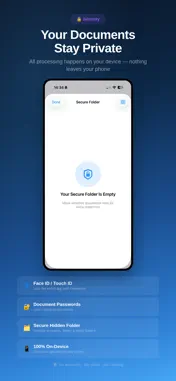
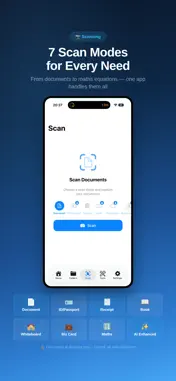
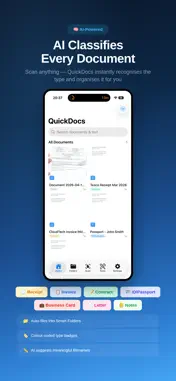
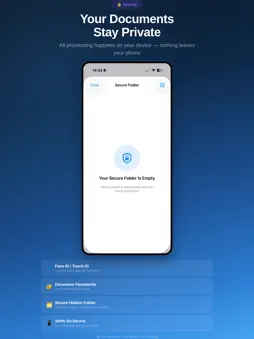
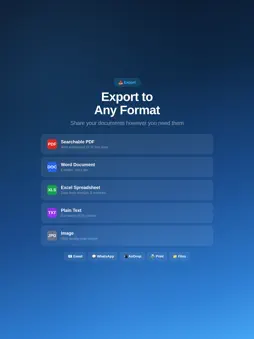
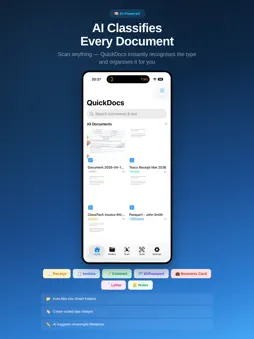
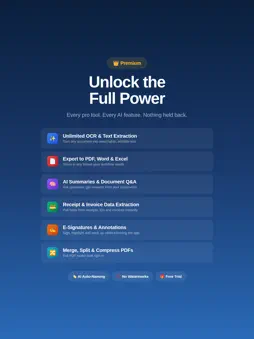
Here's everything you need to fill in: Promotional Text: Scan any document instantly with AI. Auto-classify receipts, invoices, IDs & contracts. Extract text with OCR, e-sign, annotate, and export as PDF, Word or Excel. 7 scan modes. 100% on-device. Description: QuickDocs is the AI-powered document scanner that turns your iPhone into a professional scanning studio. Scan, organise, sign, and share documents in seconds — all processed on your device for complete privacy. SCAN ANYTHING Point your camera at any document and QuickDocs instantly detects edges, corrects perspective, and enhances quality. Choose from 7 specialised scan modes: Document, ID/Passport, Receipt, Book, Whiteboard, Business Card, and Maths. AI THAT WORKS FOR YOU QuickDocs automatically identifies what you scanned — receipt, invoice, contract, ID — and files it into the right smart folder. AI suggests meaningful filenames like "Tesco_Receipt_Mar2026" instead of "Scan_001". Key data is extracted automatically: totals from receipts, dates from invoices, details from IDs. POWERFUL OCR Extract editable text from any scan using Apple Vision. Search across all your documents by content, not just filename. Copy, paste, and export extracted text instantly. Multi-language support included. E-SIGNATURES Draw, type, or upload your signature. Place it anywhere on any document with drag-and-drop precision. Save up to 10 signatures for quick reuse across all your documents. PROFESSIONAL PDF TOOLS Merge multiple documents into one. Split multi-page PDFs apart. Compress files to reduce size. Password protect sensitive documents. Reorder, add, or delete pages within any document. ANNOTATIONS & STAMPS Highlight text, draw freehand, add text boxes, and place stamps like APPROVED, CONFIDENTIAL, or DRAFT. Create custom stamps. Add text or image watermarks. Redact sensitive information permanently. EXPORT ANYWHERE Export as searchable PDF, Word, Excel, or plain text. Share via AirDrop, WhatsApp, email, or any app on your phone. Print directly to any AirPrint printer. SMART ORGANISATION Documents auto-sort into smart folders by type. Create custom colour-coded folders. Search across all documents and OCR text. Favourites, recycle bin with 30-day recovery, and bulk operations. BUILT FOR PRIVACY All scanning and AI processing happens entirely on your device. No documents are uploaded to any server. No accounts required. Face ID/Touch ID app lock, per-document passwords, and a hidden secure folder keep everything private. FREE TO START Scan unlimited documents for free. Upgrade to Premium for unlimited OCR, all export formats, e-signatures, annotations, PDF tools, and more. PREMIUM PLANS Unlock unlimited OCR, AI features, all export formats, e-signatures, and the full PDF toolkit with a Quick Docs Premium subscription. Weekly, monthly, annual, and lifetime options available. Start with a free plan. Terms of Service: https://quickdocs.tech/terms Privacy Policy: https://quickdocs.tech/privacy
What's New
Version 1.0.1 2026-04-18
- The scanner is presented as a full-screen cover with dismissal disabled, so tapping outside a reviewed thumbnail no longer exits the scanning flow completely. Technical Analysis
Package Overview Basic metadata
Bundle ID
app.rork.quickdocs-scanner Current Version 1.0.1
Minimum iOS 18.0
Package Size App Store Size
Package Metadata 0 / 2 version records
Detailed binary, privacy manifest, framework, and Info.plist results have not been indexed for this package yet. The verified App Store and archive metadata above remains available.
Developer Information
Known Version Records
0 version records with stored package metadata • 2 known version records
Stored metadata does not guarantee a package is currently available to download.
| Details | Version / IDs | Version date | Action |
|---|---|---|---|
| Not archived | App Store ID: 884639674 | Unknown | Request Version |
| Not archived | App Store ID: 884434448 | Unknown | Request Version |