
Preview






Description
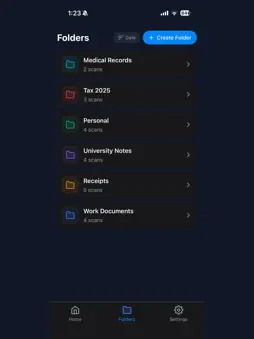
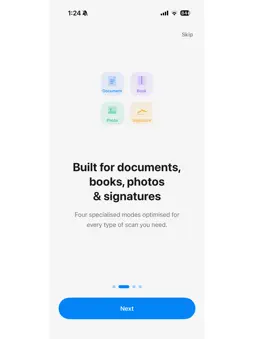
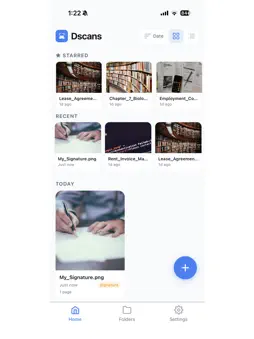
Dscans turns your phone into a powerful document scanner. Capture documents, book pages, photos, and signatures with professional-quality results — all processed locally on your device with complete privacy. KEY FEATURES Scan Anything - Document Mode: Crisp, high-contrast scans with automatic edge detection and perspective correction - Book Mode: Capture open book spreads and automatically split them into separate flat pages - Photo Mode: Preserve original colors while straightening and enhancing your photos - Signature Mode: Isolate signatures on transparent or white backgrounds Smart & Fast - Auto-capture detects document edges and captures automatically when steady - Batch scanning for multi-page documents in one session - OCR-powered smart file naming - Real-time edge detection overlay Powerful Editing - Filters: Original, Black & White, Grayscale, Auto-Enhance - Rotate, crop, and adjust each page - Drag-and-drop page reordering for multi-page scans Export Your Way - PDF export with multi-page support - JPG and PNG export for individual pages - PDF watermarking (e.g., "CONFIDENTIAL") - PDF password protection - Share via AirDrop, WhatsApp, Email, Google Drive, and more Stay Organized - Create folders to organize your scans - Search by filename - Sort by date or alphabetically - Grid and list view options - Scan type badges for quick identification Privacy First - All scanning and processing happens on your device - No account required — every feature works offline - No ads, no subscriptions, completely free Beautiful & Polished - Google Sans typography throughout - Light and dark theme support (follows system setting) - Smooth animations and haptic feedback - Clean, intuitive interface Dscans is built for students scanning notes, professionals digitizing contracts and receipts, and anyone who needs to turn paper into digital files quickly and privately.
Technical Analysis
Package Overview Basic metadata
Bundle ID
com.jainiksmac.docscan Current Version 1.0.0
Minimum iOS 15.1
Package Size App Store Size
Package Metadata 0 / 1 version records
Detailed binary, privacy manifest, framework, and Info.plist results have not been indexed for this package yet. The verified App Store and archive metadata above remains available.
Developer Information
Known Version Records
0 version records with stored package metadata • 1 known version records
Stored metadata does not guarantee a package is currently available to download.
| Details | Version / IDs | Version date | Action |
|---|---|---|---|
| Not archived | App Store ID: 883740872 | Unknown | Request Version |