
Preview




Description
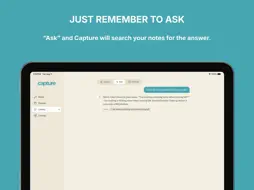
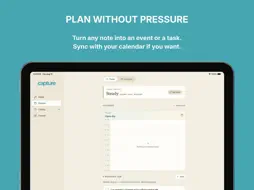
If you are a little forgetful or constantly overwhelmed, Lauritzen Capture was designed for you. With Capture, you can record your thoughts fast and recall them easily. It will even organize your thoughts for you. TYPE OR DICTATE — Open the app and start typing or dictate hands-free with on-device speech recognition. Nothing is transcribed off-device, and raw audio isn't kept once your words become text. PLAN WITHOUT PRESSURE — See what's ahead in Planner. Turn any note into a task or an event. You can even connect your calendar if you want to show upcoming events and add items you create in the app. COMPLETE TASKS BY ENERGY - Not feeling it today? Use the slider to mark your energy level and the amount of tasks you see adjusts accordingly. A LIBRARY THAT ACTUALLY FINDS THINGS — Search across everything you've captured. You don't have to remember where you put it — you just have to remember it exists. CANVAS FOR THINKING OUT LOUD — When a thought needs room to sprawl, open Canvas: a freeform space for linking notes, mapping how ideas support, lead to, question, or push against each other. You can even start from guided prompts like Explore an idea, Compare two ideas, or Plan a project. DESIGNED TO ADAPT TO YOU — Choose Standard, Large, or Extra Large text. Switch to Dark mode or High Contrast. Turn on Reduce Motion or low-stimulation mode to cut decorative animation. These aren't hidden in a menu three levels deep — they're meant to be used. YOUR DATA STAYS YOURS — Lauritzen Capture works fully on-device with no account required. If you want your notes on more than one Apple device, you can turn on iCloud sync for your own private iCloud storage — Lauritzen Systems never sees it. Optional on-device AI (Apple's Foundation Models, when available) can help with a quick "Ask" or dictation clean-up; suggestions are always shown for your review before anything changes. There are no ads and no third-party trackers. Lauritzen Capture doesn't diagnose, treat, or manage any condition — it's a note-taking, planning, and thinking tool designed with a lighter cognitive load in mind, built by someone who wanted that tool to exist.
What's New
Version 1.1 2026-09-04
Bug fixes and more polish to the user interface. We hope you like it! Technical Analysis
Package Overview Basic metadata
Bundle ID
com.lauritzen.notes Current Version 1.1
Minimum iOS 15.0
Package Size App Store Size
Package Metadata 0 / 0 version records
Detailed binary, privacy manifest, framework, and Info.plist results have not been indexed for this package yet. The verified App Store and archive metadata above remains available.
Price History (USA store)
2 recorded price change points. These are historical observations, not a guarantee of the current price.
| Recorded at | Price | Currency |
|---|---|---|
| 7.99 | USD | |
| 3.99 | USD |
Developer Information
Known Version Records
0 version records with stored package metadata
Stored metadata does not guarantee a package is currently available to download.
| Details | Version / IDs | Version date | Action |
|---|