
Preview






Description
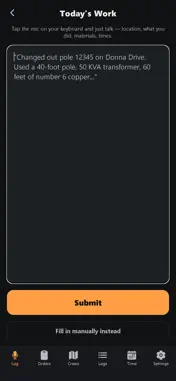
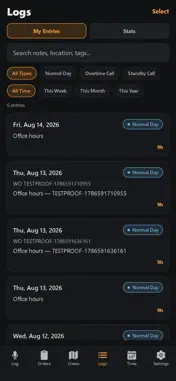
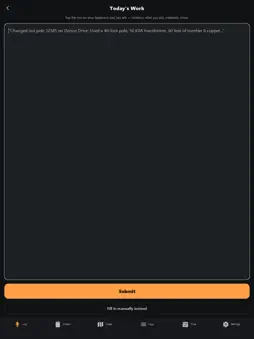
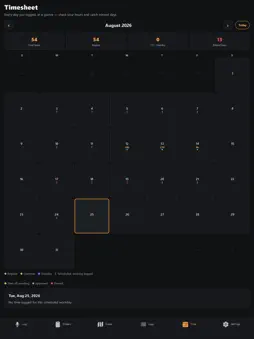
UtilityOp turns the way field crews already talk about their work into clean, searchable records. At the end of a shift - or in the middle of a call-out - tap once, say what you did, and UtilityOp fills in the details: where you were, what you used, who was with you, the reason for the call, and how long it took. No forms to fight through in the field. FOR THE CREW - Talk, don't type. One tap, then just describe the job. - Materials matched to your utility's real stock numbers automatically. - Say "the whole crew was out" and everyone gets tagged. - Work orders land in the app - log against one, mark it complete when you're done. - A timesheet calendar showing hours per day, with missed days flagged. - Request time off - a full day, a week, or a couple of hours. - Works with no signal. Everything saves on the phone and syncs when you're back. - Prefer typing? Manual entry is always one tap away. FOR THE OFFICE - Supervisors approve time and time off from a web dashboard. - Payroll exports an overtime timesheet. - Materials are reviewed by work order and routed to accounting. Accounts are created by your utility's administrator - UtilityOp isn't a sign-up-and-go app. Ask your admin to set you up.
What's New
Version 1.0.2 2026-08-29
• Apple Maps throughout — the crew map and job maps now draw Apple's own maps, in dark and satellite. • Redesigned crew map: the map fills the screen, the fleet... Technical Analysis
Package Overview Basic metadata
Bundle ID
com.carter.linelog Current Version 1.0.2
Minimum iOS 16.4
Package Size App Store Size
Package Metadata 0 / 0 version records
Detailed binary, privacy manifest, framework, and Info.plist results have not been indexed for this package yet. The verified App Store and archive metadata above remains available.
Known Version Records
0 version records with stored package metadata
Stored metadata does not guarantee a package is currently available to download.
| Details | Version / IDs | Version date | Action |
|---|