
Preview







Description
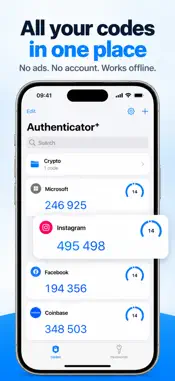
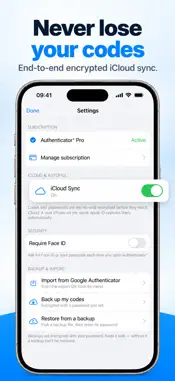
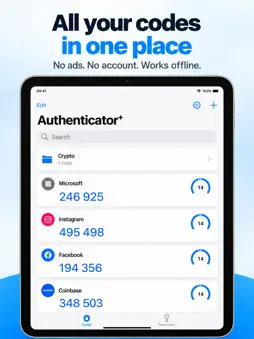
Authenticator⁺ keeps your two-factor sign-in codes on your iPhone and nowhere else. Scan a QR code and your 6-digit codes are ready whenever you log in. Add an account in seconds: • Scan the QR code a site shows when you turn on two-factor authentication • Pick a screenshot of that QR code from your photos • Or type the setup key by hand • Switching from Google Authenticator? Bring your accounts over with its export QR Codes refresh every 30 seconds and sit one tap from your clipboard. Counter-based (HOTP) accounts get a button for the next code. Sort accounts into folders, drag them into the order you like, and search once the list grows. Your passwords, next to your codes. Save logins in the Passwords tab, generate strong ones, and fill them straight into Safari and apps with AutoFill. On iOS 18 and later, AutoFill suggests your 2FA code too. Built to stay private: • Secrets live in the iPhone Keychain. We don't run a server, so there's nothing of yours on one. • No account, no email, no sign-up. Open the app and start. • Works offline. Codes generate on-device with no connection. • No ads. Nothing pops up while you're trying to log in. • Lock the app behind Face ID or your passcode. Backup on your terms: Export an encrypted backup sealed with a password only you know, and keep it in iCloud Drive, Files, or anywhere you like. Restore it on a new phone with the same password. Nobody, us included, can read it without that password. Authenticator⁺ Pro: The free version lets you add up to two accounts and three passwords. Pro adds unlimited accounts and passwords, iCloud sync between your iPhone and iPad, AutoFill, and a Home Screen widget with your codes. It's an auto-renewing subscription with a 3-day free trial. Manage or cancel it anytime in Settings or your Apple account, and a trial you cancel before it ends never charges you. Available in English, French, Spanish, German, Japanese, Korean, Chinese, Portuguese, Italian, Dutch, Russian, Turkish and Polish. Questions or trouble? Email [email protected]. Terms of Use: https://pluriventures.com/authcodes-terms.html Privacy Policy: https://pluriventures.com/authcodes-privacy.html
What's New
Version 1.0.3 2026-10-18
Free trial reminder: we now send you a notification the day before your trial ends. Scanned a website link instead of a 2FA code? Open it with one tap. Speed an... Technical Analysis
Package Overview Basic metadata
Bundle ID
com.authcodes.app Current Version 1.0.3
Minimum iOS 16.4
Package Size App Store Size
Package Metadata 0 / 0 version records
Detailed binary, privacy manifest, framework, and Info.plist results have not been indexed for this package yet. The verified App Store and archive metadata above remains available.
Developer Information
Known Version Records
0 version records with stored package metadata
Stored metadata does not guarantee a package is currently available to download.
| Details | Version / IDs | Version date | Action |
|---|