
Preview









Description
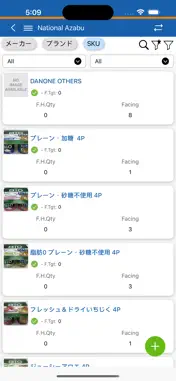
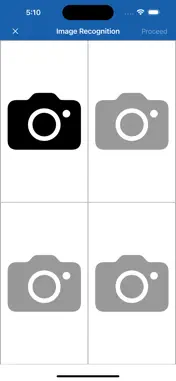
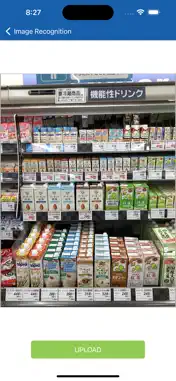
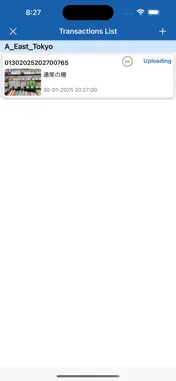
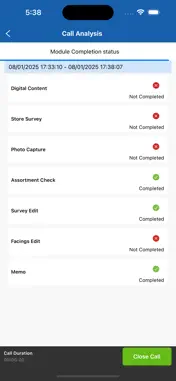
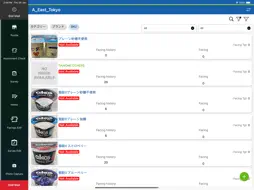
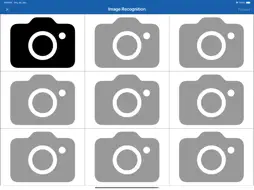
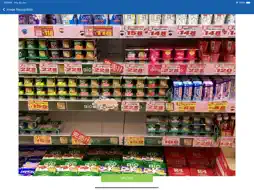
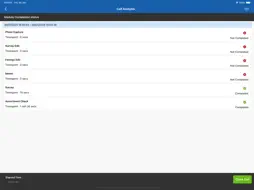
High Level Application Flow: Activation & Login: Activate the application using the provided license key and log in with your credentials. During the login process, the app will download all the master data required for the session. Retailer Selection: Retailers will be listed on the trade coverage screen, and they will be categorised into two types: IR and Non-IR. The Non-IR retailers can be differentiated by an edit icon next to their name. Users can select any retailer they wish to visit. Start Visit: Upon entering a retailer, users are restricted from performing certain activities (e.g., Assortment Check, Survey, Photo Capture) until they click the Start Visit button. Assortment Module: For IR retailers, users can create a new transaction by capturing an image or selecting one from the gallery. AI will perform object detection on the image. Note: If an invalid image is uploaded, the transaction may fail. Once the image is uploaded, users will need to wait a few seconds or up to a minute for the results to be processed. Users can refresh the transaction list to check the status of the transaction results. For Non-IR retailers, users must enter the values manually. No object detection will take place for these retailers. Viewing Results: After the transaction is completed, users can view the results by clicking on the transaction in the transaction details screen. Manual Activities: Users can perform other manual activities such as creating memos, answering survey questions, and editing previous visit facings and surveys. Closing the Visit: Once all activities inside the retailer are completed, users can navigate back and close the call. Syncing Data: Finally, users can go to the sync page and upload all transactions back to the server for reporting purposes. Internet Connectivity: Internet connectivity is a must to experience the full functionality of the application.
What's New
Version 2.5.4 2026-02-20
Issue Fixes Technical Analysis
Package Overview Basic metadata
Bundle ID
com.ivyeye.ir.product Current Version 2.5.4
Minimum iOS 13.0
Package Size App Store Size
Package Metadata 0 / 0 version records
Detailed binary, privacy manifest, framework, and Info.plist results have not been indexed for this package yet. The verified App Store and archive metadata above remains available.
Developer Information
Known Version Records
0 version records with stored package metadata
Stored metadata does not guarantee a package is currently available to download.
| Details | Version / IDs | Version date | Action |
|---|