
MouseController App Icon

MouseController

Utilities • Ivo Peterka
4+ v1.3 Recorded price: Free App Store →
IPA Analysis
Technical Specs
Bundle ID com.slon3studio.MouseControllerPhone
Version 1.3
App Store Size 1.6 MB
Minimum iOS 17.6
Devices iPhone, iPad, iPod touch
Catalog release date 2026-06-17
Latest recorded version date 2026-10-28
Features & Support
Advisory 4+
Languages (1)
EN
Top In App Purchases
No In App Purchases Listed

Preview

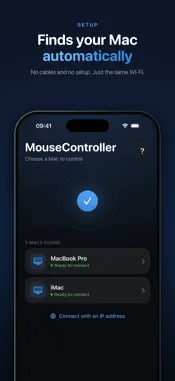
MouseController screenshot 1 MouseController screenshot 2 MouseController screenshot 3 MouseController screenshot 4 MouseController screenshot 5 MouseController screenshot 6 MouseController screenshot 7

Description

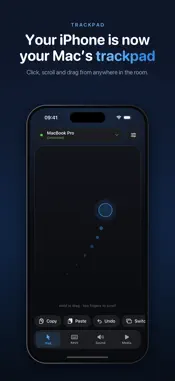
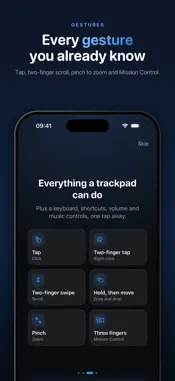
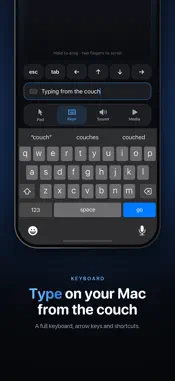
Remote Mouse requires the companion macOS application, available on GitHub: https://github.com/slon3studio/MouseController Turn your iPhone into a wireless trackpad and keyboard for your computer. Move the cursor, scroll, click, and type instantly over your local network. Features: • Smooth cursor movement • Tap to click • Two-finger scrolling • Live keyboard typing • Fast local network connection • Minimal and clean interface How it works: 1. Launch the macOS companion app 2. Connect both devices to the same Wi-Fi or hotspot 3. Enter the displayed IP address 4. Start controlling your Mac remotely

What's New

Version 1.3 2026-10-28
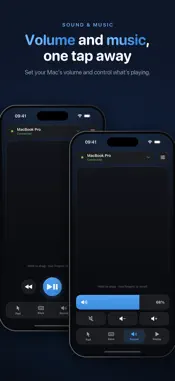
MouseController has a completely new design, made to feel simple from the very first tap. A guided start. A short welcome tour shows what the app can do, how t...MouseController has a completely new design, made to feel simple from the very first tap. A guided start. A short welcome tour shows what the app can do, how to get the Mac app and which gestures to use. Get the Mac app in one tap. Send the link to your Mac with AirDrop, and the download starts as soon as it opens. Smoother pointer. The cursor moves with your finger from the very first touch and glides more evenly, especially with acceleration on. Easier pairing. Type the code into clear boxes, just like a verification code. A fresh trackpad screen. Connection status at a glance, shortcuts with icons, and a new tab bar for keys, sound and media. Volume like Control Center. Drag one large slider to set your Mac's volume. Simpler typing. The text field fills the whole row, and the keyboard's own delete key works even when the field is empty. Help when your Mac doesn't show up. A short checklist explains exactly what to check. New Settings. Pointer speed, acceleration, haptics and every gesture, all in one place.

Technical Analysis

Package Overview Basic metadata
Bundle ID com.slon3studio.MouseControllerPhone
Current Version 1.3
Minimum iOS 17.6
Package Size App Store Size
Package Metadata 0 / 0 version records
Detailed binary, privacy manifest, framework, and Info.plist results have not been indexed for this package yet. The verified App Store and archive metadata above remains available.

Known Version Records

0 version records with stored package metadata

Stored metadata does not guarantee a package is currently available to download.

Details Version / IDs Version date Action