
Preview




Description
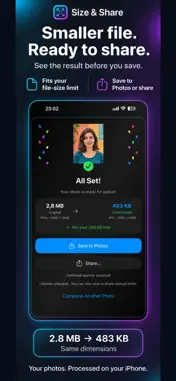
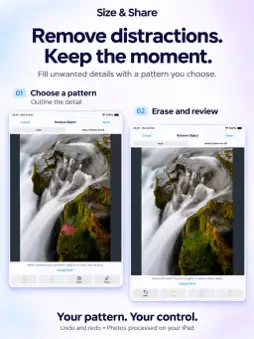
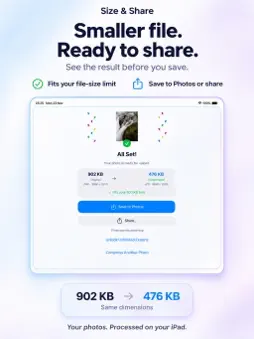
The right photo. The right size. Your style. Prepare photos for online forms, applications, email attachments and everyday sharing. Set a file-size limit, crop and resize, remove unwanted objects or turn your photo into a colorful illustration. Preview the result, then save or share. CHOOSE YOUR LIMIT Select 500 KB, 1 MB, 2 MB or a custom file-size limit. See the actual output size before saving. CONVERT TO JPEG OR PNG Export as JPEG with compression or use lossless PNG encoding. When needed, image dimensions are reduced to meet your file-size limit. CROP AND RESIZE Frame your photo with free cropping or familiar aspect ratios: 1:1, 4:3, 3:4 and 16:9. Choose a resize preset or set a custom longest edge. REMOVE UNWANTED OBJECTS Outline a distraction and let Auto fill the selected area, or use Select Pattern for Fill to choose a texture from your photo. Review the result and use Undo or Redo to compare your edits. TURN PHOTOS INTO ILLUSTRATIONS Create a cartoon-inspired look with Cartoonize. Adjust smoothing for flatter color areas and control dark contours with a separate slider. Explore palettes of 16, 32, 64 or 256 colors, from bold poster-style artwork to more detailed results. FIND YOUR LOOK Explore Sepia, B&W, Vivid, Warm, Cool and Fade filters. Preview your choice and combine it with cropping, or choose Original to keep the original colors. KNOW WHAT YOU’RE SAVING Compare the original and finished file sizes, formats and dimensions. If an exact custom dimension cannot meet your file-size limit, the app tells you instead of silently changing it. SAVE OR SHARE Save your finished image to Photos, or use the system share sheet for Files, AirDrop and compatible apps. YOUR PHOTOS STAY ON YOUR DEVICE Photo editing, object removal, Cartoonize, resizing and compression happen on your device. Your photos are never uploaded to our servers. Device, usage and purchase information is sent to our service to manage the export allowance and support the app. TRY IT FREE Your first 3 successful exports are free. Unlock Lifetime Unlimited Exports with a one-time in-app purchase. No subscription. Cancelled exports do not use your allowance. An internet connection is required to check and sync the free-export allowance. Purchases and restoration use the App Store. Privacy Policy: https://appios.pro/sizeandshare/privacy.php Terms of Use: https://www.apple.com/legal/internet-services/itunes/dev/stdeula/
What's New
Version 27.2 2026-11-24
Bring a fresh look to your photos in version 27.2: • Cartoonize — turn photos into colorful illustrations with adjustable smoothing, independent contour contro...Bring a fresh look to your photos in version 27.2: • Cartoonize — turn photos into colorful illustrations with adjustable smoothing, independent contour controls and palettes from 16 to 256 colors. • Remove Object — outline unwanted details and use Auto to fill the area, or choose a texture from your photo with Select Pattern for Fill. • Undo & Redo — step back and restore changes while removing objects, making it easier to compare results. Technical Analysis
Package Overview Basic metadata
Bundle ID
pro.appios.SizeAndShare Current Version 27.2
Minimum iOS 15.0
Package Size App Store Size
Package Metadata 0 / 0 version records
Detailed binary, privacy manifest, framework, and Info.plist results have not been indexed for this package yet. The verified App Store and archive metadata above remains available.
Developer Information
Known Version Records
0 version records with stored package metadata
Stored metadata does not guarantee a package is currently available to download.
| Details | Version / IDs | Version date | Action |
|---|