Preview


Description
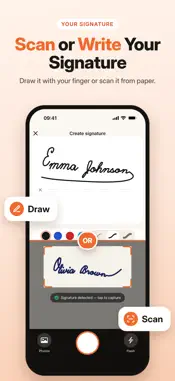
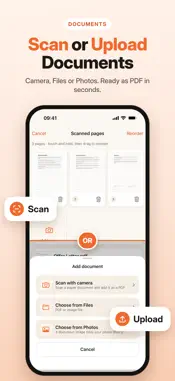
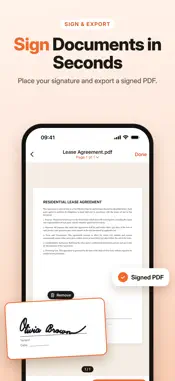
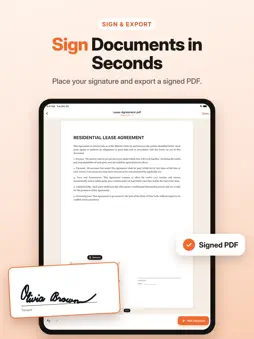
Sign PDFs and paper documents right on your iPhone. Draw your signature with your finger or scan the one you signed on paper, place it on any page and create a clean signed copy in seconds. DRAW OR SCAN YOUR SIGNATURE • Draw with your finger in black, blue, red or any color, in three line widths, with undo and redo • Scan a signature from paper with the camera: it is detected automatically, cropped and its background removed • Import a photo of your signature from your library • Keep several signatures and initials ready in your library SIGN DOCUMENTS • Open PDFs from Files or create documents from photos • Scan paper documents with the camera: edges are detected, perspective is corrected and pages get a clean scanned look • Scan one page or many pages in a row, then reorder or delete them • Place your signature on any page, move, resize and rotate it, add as many as you need • On scanned pages your signature blends in like it was signed on paper SAVE AND SHARE • Save a draft and continue later, or create a signed copy — your original file stays unchanged • Share the signed PDF or save it to Files (Premium) • Share a signature as a transparent PNG PRIVATE BY DESIGN • No account needed • Your documents and signatures stay on your device PREMIUM Drawing, scanning and signing are included. Premium unlocks sharing and saving signed documents. Premium is an auto-renewing weekly or yearly subscription. Payment is charged to your Apple ID at confirmation of purchase. The subscription renews automatically unless it is cancelled at least 24 hours before the end of the current period. You can manage or cancel it in your App Store account settings. Terms of Use: https://ismailfatihbirak.github.io/ruisPrivacyPolicy/signaturemaker/terms-of-use.html Privacy Policy: https://ismailfatihbirak.github.io/ruisPrivacyPolicy/signaturemaker/privacy-policy.html
What's New
Version 1.0.1 2026-11-06
The app’s name on your Home Screen now appears in your language. This update also includes bug fixes and stability improvements. Technical Analysis
Package Overview Basic metadata
Bundle ID
com.isodev.signaturemaker Current Version 1.0.1
Minimum iOS 18.0
Package Size App Store Size
Package Metadata 0 / 0 version records
Detailed binary, privacy manifest, framework, and Info.plist results have not been indexed for this package yet. The verified App Store and archive metadata above remains available.
Developer Information
Known Version Records
0 version records with stored package metadata
Stored metadata does not guarantee a package is currently available to download.
| Details | Version / IDs | Version date | Action |
|---|