
Preview




Description
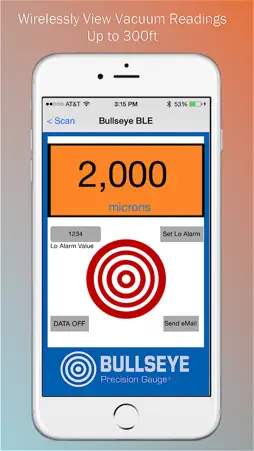
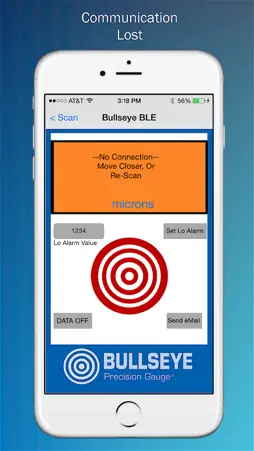
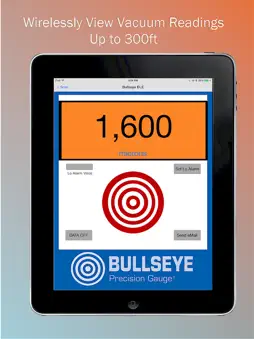
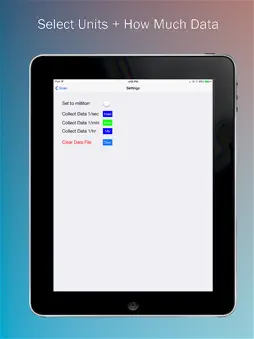
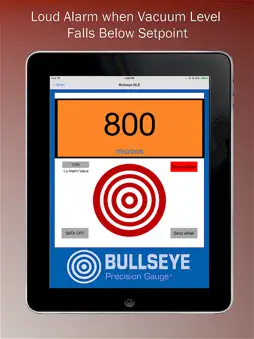
Links via Bluetooth Low Energy to DigiVac vacuum gauges to view, alarm, log readings and email data for graphing pump down curves. Ideal for vacuum pump test or finding leaks. This is the first vacuum gauge App available on Apple for the medium vacuum range with typical measurements in the micron or millitorr range. Key Features: • Remote Monitoring | Bluetooth Viewing of Current Vacuum Pressure on Smartphone or Tablet • Data Logging and Sharing | Powerful feature allows you to retrieve data from your DigiVac gauge and share it anywhere • Alarm | Know immediately when vacuum level has been reached Sharing Vacuum vs. Time Data Feature: Ideal for vacuum pump testing and performing a vacuum pump baseline. Simply save the baseline test data then compare it to a recent vacuum pump test to see if your vacuum pump is still performing optimally • Especially useful if you are trying to troubleshoot leaks or other vacuum problems and need remote team collaboration • Helps you prove that a particular vacuum level was reached | Provides functional data for warranty purposes in large HVAC systems or proof of adherence to standard operating procedures for transformer or utility work Data Logging Feature: Enables the user to choose how often data is logged. The time durations available are once per second, once per minute and once per hour. • Once per second might be used to look at a scientific process, distillation or documenting vacuum pump performance. • Once per minute might be useful for documenting a process that runs for an hour or more • Once per hour might be useful to document a transformer dryout or process that runs for 12 ~ 48 hours The distance between the vacuum gauge and the tablet or mobile device is about 300 feet line of site. The signal is sent via Bluetooth Low Energy, or Bluetooth 4.0. The signal can go through some walls and around some curves, but that greatly diminishes the overall distance. Examples: • A gauge on a dashboard parked down the street can be read with a smart phone 450 feet away • A gauge on a manifold in one room can be read by a phone in an office that is about 60 feet away • A gauge outside monitoring a compressor can be read by a smart phone in the 3rd story attic space Remote Viewing Feature: The value of seeing the gauge reading on your phone or tablet is that it allows you to do other things while having your current gauge reading at your fingertips. For evacuations that take several minutes, a technician can be working with other parts of the system or doing other tasks. This solves the frustration that happens when a fairly lengthy pump down service stalls potentially wasting hours of your time! Know immediately so you can get the job done and move on! Alarm Feature: Many portable gauges have this, but having this via a Bluetooth connection is much more useful. The portable gauge alarm requires you to be right there to hear it. This Vacuum Gauge App alarm can be set at any value between 1 millitorr and 760,000 millitorr. When the vacuum level falls below this value the alarm will sound on your tablet or smartphone alerting you when the target vacuum pressure level has been reached.
What's New
Version 2.2 2026-03-02
Let's Vacuum Gauge app continue to communicate over BLE in the background when iPhone or iPad has display set to auto-lock settings other than Never. Technical Analysis
Package Overview Basic metadata
Bundle ID
com.digivac.BullseyeBLE Current Version 2.2
Minimum iOS 15.6
Package Size App Store Size
Package Metadata 1 / 4 version records
Detailed binary, privacy manifest, framework, and Info.plist results have not been indexed for this package yet. The verified App Store and archive metadata above remains available.
Developer Information
Known Version Records
1 version record with stored package metadata • 4 known version records
Stored metadata does not guarantee a package is currently available to download.
| Details | Version / IDs | Version date | Action |
|---|---|---|---|
 7.26 MB | v2.2 App Store ID: 882919477Build: 2.2 | 2026-03-01 19:21:00 | Get Version |
| Not archived | App Store ID: 882416463 | Unknown | Request Version |
| Not archived | App Store ID: 837122646 | Unknown | Request Version |
| Not archived | App Store ID: 811671844 | Unknown | Request Version |