
Preview



Description
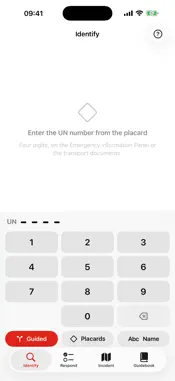
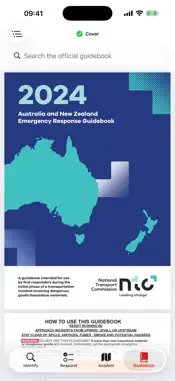
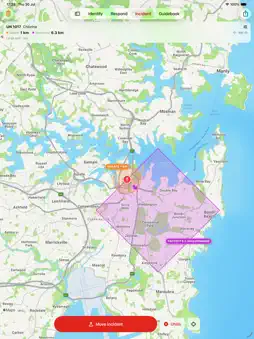
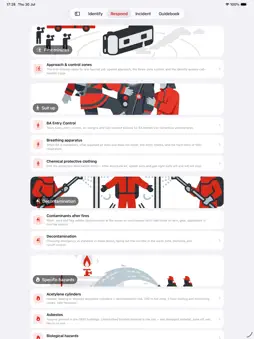
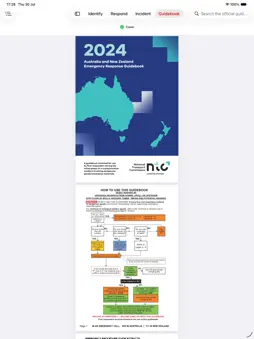
Built for the crews who arrive first. ANZ Hazmat ERG puts the Australian & New Zealand Emergency Response Guidebook 2024 on your phone and iPad and works with no signal at all. It is a professional tool for fire and rescue crews, hazmat technicians and incident controllers who need an isolation distance they can defend, in seconds, in the dark, in gloves. FOUR DIGITS TO AN ANSWER A four-key pad, because what you have is a UN number on a placard. Search the proper shipping name instead, match a placard against the guidebook's own chart, or step through the guidebook's identification flowchart when you do not yet know what you are looking at — start it, pin the result, reset it when the job changes. DISTANCES YOU CAN DEFEND Every distance names its source and the printed page it came from, and one tap opens that page in the official guidebook. Table 1 rows are kept separate — inhalation hazard zones, spilled on land versus in water — so you pick the row that matches your material instead of being handed an average. Where the guidebook defers to Table 3 for a large spill, the app asks for the transport container rather than inventing a figure. Isolation is the largest of every applicable source — the guide's own minimum, its bulk-container fire distance, the table row — so telling the app more can only push your cordon out, never pull it in. THE PERIMETER ON A MAP Initial isolation as a circle, the protective action zone as the square the guidebook specifies, wind-aligned, each labelled with the distance it represents, framed so the whole hazard area is on screen. Place the incident precisely with a crosshair, add HAZMAT, pumper, command, decon and staging positions, and undo a mistake. BRIEFINGS YOU CAN HAND OUT Print an A4 briefing for the crews on scene: identity, distances with their sources, the scenario, the incident map, and the official guide and table pages attached. Or send it as a PDF to an incident controller or duty officer. Also produces a plain-text summary written to be read over a radio. HOW TO, NOT JUST WHAT Approach and control zones, breathing apparatus and entry control, chemical protective clothing, decontamination and post-fire contamination hygiene, plus specific hazards — LPG and BLEVE, acetylene, asbestos, radiological, biological, fumigated units and illicit laboratories — each cross-referenced to the guides it pairs with. THE OFFICIAL GUIDEBOOK, UNALTERED The complete 390-page publication of the National Transport Commission is embedded, searchable, with the printed book's own sections as shortcuts. It is the authority every other screen links back to. NOTHING LEAVES YOUR DEVICE No account, no analytics, no advertising, no tracking. Your location is used on the device only, to place the incident where you are standing. The app is fully usable if you decline location access. IMPORTANT Screens outside the Guidebook tab are an unofficial convenience index derived from the guidebook. They are not approved emergency information. This app is a reference aid and does not replace training, your service's procedures, specialist advice or a safety data sheet. Confirm critical actions against the official pages.
What's New
Version 1.1 2026-09-30
Settings is new, as the fifth tab. Choose Light, Dark or Match device, and the app holds that appearance whatever the device is set to. What's new, under Setti... Technical Analysis
Package Overview Basic metadata
Bundle ID
com.interactivewebs.anzhazmaterg Current Version 1.1
Minimum iOS 18.0
Package Size App Store Size
Package Metadata 0 / 0 version records
Detailed binary, privacy manifest, framework, and Info.plist results have not been indexed for this package yet. The verified App Store and archive metadata above remains available.
Developer Information
Known Version Records
0 version records with stored package metadata
Stored metadata does not guarantee a package is currently available to download.
| Details | Version / IDs | Version date | Action |
|---|