Preview






Description
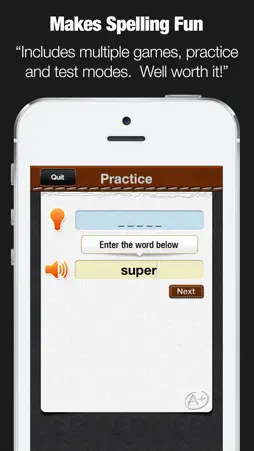
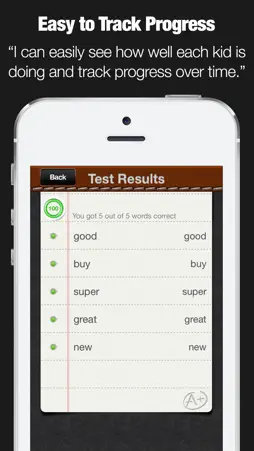
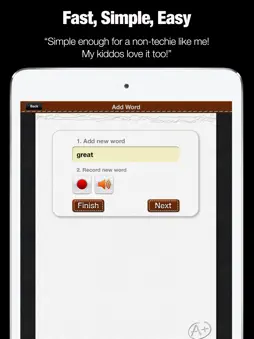
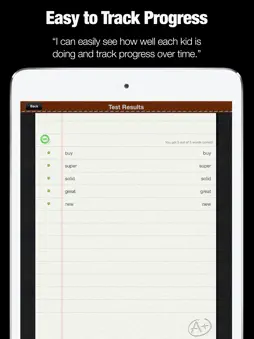
"If you want your kid to be a better speller, then download this app now! With this app spelling tests become a fun activity that your kids look forward to each time." Endorsed by tens of thousands of satisfied parents, teachers, and kids the world over. WHAT MAKES A+ SPELLING TEST UNIQUE? - Setup your own spelling tests in minutes - You decide which words to add and practice - Track your kids progress and quickly see how they are doing for each test they took as well as which words if any they are struggling with. - Multiple play modes keep kids engaged. If you don't want to take a test, you can use the practice mode or let your kids unscramble the words - Practice spelling on the go. This app is perfect for using no matter where you are. - HUGE time saver! Finally kids can rapidly boost their spelling test scores without your help. - Submit homework by email! After taking a spelling test, just click to submit the results instantly to your teacher. EXCLUSIVE PRO FEATURES (unlocked via in-app-purchase) ● Import spelling lists across devices ● Share Spelling lists with parents, students, and teachers by email ● Easily sort your spelling lists ● Supports landscape and portrait mode ● Create users accounts to backup spelling lists online ● Import existing spelling lists by grade ● Includes over 400 spelling lists in total ● Spelling lists include over 6,300 words HOW TO USE A+ SPELLING TEST? 1. Create a test 1.1. Choose the list name 1.2. Add words - words are immediately checked for spelling to avoid mistakes 1.3. For each word you add, record your own audio - a kids favorite 2. Take a test 2.1. Listen to the word you need to spell - words appear in random order 2.2. Write the word and click next 2.3. Instantly see if you got it right or wrong 3. Review test scores 3.1 Each time you take a test, you see a detailed report with all the words you got right and wrong. 3.2 Next to each word, you see a green (correct) or red (wrong) indicator so you can quickly see what words kids tend to struggle with repeatedly. 3.3 Next to each Spelling List you see the test results of the last test they took ADVANCED OPTIONS Ace it - Instead of taking a regular test, when you click to "Ace it" you have to keep repeating words until you spell them correctly. Since feedback and repetition is the best way to learn, your kids will improve even faster and enjoy it because by the end they will have aced every test! Practice - The practice mode does not track your score and offers a quick preview of each word when needed with just one click. Its a fun and easy way to get familiar with especially challenging new words. Unscramble - The unscramble mode activates and develops a completely different part of your brain. Instead of instantly hearing the word and having to spell it, you see a scramble of letters and have to figure out what word they are for. It's fun and another great way to sharpen your kids spelling skills Review mistakes - With each test you took, you can choose to quickly just retest any / all mistakes. In addition, on the main page, you can always click to review all the words that were misspelled on their last attempt. Enhanced email submission - Can't remember your kids teachers email? No problem. Enter it only once on the settings page and each time you click to email out the test, the teacher's email address will be pre-filled in the TO field. Clear Test Scores - at any time, you can delete all previous test scores from the settings page with one click or delete individual test scores one at a time. HEROIC SUPPORT Heroic Support is not just what we do. It's really what makes us, well, us. It's that drive to make a difference in your life - no matter how big or small. Really, it's our way of life because we want you to be our customer for a lifetime of fun and learning. Have questions? We are here to help. Email us at [email protected]
What's New
Version 5.0 2017-03-17
● Added existing spelling lists by grade ● Added over 400 spelling lists in total ● Spelling lists include over 6,300 words Technical Analysis
Package Overview Basic metadata
Bundle ID
com.alligatorapps.aplusspellngtest Current Version 5.0
Minimum iOS 8.0
Package Size App Store Size
Package Metadata 0 / 12 version records
3.3 / 5.0 (244 ratings)
Detailed binary, privacy manifest, framework, and Info.plist results have not been indexed for this package yet. The verified App Store and archive metadata above remains available.
Developer Information
Known Version Records
0 version records with stored package metadata • 12 known version records
Stored metadata does not guarantee a package is currently available to download.
| Details | Version / IDs | Version date | Action |
|---|---|---|---|
| Not archived | App Store ID: 841407238 | Unknown | Request Version |
| Not archived | App Store ID: 820777519 | Unknown | Request Version |
| Not archived | App Store ID: 819515454 | Unknown | Request Version |
| Not archived | App Store ID: 16163863 | Unknown | Request Version |
| Not archived | App Store ID: 15273154 | Unknown | Request Version |
| Not archived | App Store ID: 15158645 | Unknown | Request Version |
| Not archived | App Store ID: 14782578 | Unknown | Request Version |
| Not archived | App Store ID: 11121057 | Unknown | Request Version |
| Not archived | App Store ID: 7007981 | Unknown | Request Version |
| Not archived | App Store ID: 6741703 | Unknown | Request Version |
| Not archived | App Store ID: 6581142 | Unknown | Request Version |
| Not archived | App Store ID: 6367963 | Unknown | Request Version |