Preview


Description
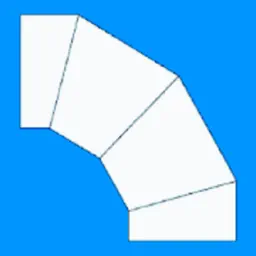
This app is build to Generate Flat Pattern Layout Marking of Miter Bend, Segment Bend, Cut Bend Fabricated Bend used in fabrication, Piping, Ducting and Insulation Field. This app is very useful for all working professionals in the Field of Fabrication of Piping, Ducting and Aluminium Insulation. In this app all Dimensions are used in MM to Calculate Marking so please enter your Input Dimensions in MM to get correct solution or correct layout of Miter Bend. This app is designed in three options for 12 Nos, 24 Nos and 36 Nos, 48 Nos, 72 Nos and 96 Nos of equal Divisions of Plate or Pipe. In this App Miter Angle is Calculated and also Displayed on Result Screen. Required Cutting Plate Size is also calculated in this app so that you can plan for raw materials accordingly. We had Make arrangement for Displaying Layout of Both End parts that is First and Last Part and Middle Part is shown for Better Under Standing and better marking. This app is very useful for those who are working in fabrication of Pipelines, HVAC Ducting and Aluminium Insulation Industry. In this App you can generate layout as per your requirement by giving input as Diameter, Bend Radius, Bend Parts, and Angle of Turn. if you want layout marking on Flat Plat then put Input diameter as mean diameter or if you want to layout marking directly Pipe then put input Diameter as Outer Diameter for more Accuracy. You Can Select Lay-outing Options of 12 Lines, 24 Lines, 36 Lines, 48 Nos, 72 Nos and 96 Nos as per your Required Accuracy. please note that Cutting allowance are not included in this app so please add your cutting allowance as per your Requirement. it is best Suitable for Cut Bends, Segment Bends, fabricated Bend, Miter Bend, layout marking, layout Development, raw plate Size for miter bend, fabrication , process equipment etc.
What's New
Version 2.0 2023-11-22
Updated for Higher SDK levels. changes in app layout. changes in app theme. unit setting options added. decimal fraction chart added. done key added on keypad. ...Updated for Higher SDK levels. changes in app layout. changes in app theme. unit setting options added. decimal fraction chart added. done key added on keypad. reduced app size. improved user experiance, Technical Analysis
Package Overview Basic metadata
Bundle ID
com.letsfab.miterbend Current Version 2.0
Minimum iOS 16.1
Package Size App Store Size
Package Metadata 0 / 2 version records
Detailed binary, privacy manifest, framework, and Info.plist results have not been indexed for this package yet. The verified App Store and archive metadata above remains available.
Known Version Records
0 version records with stored package metadata • 2 known version records
Stored metadata does not guarantee a package is currently available to download.
| Details | Version / IDs | Version date | Action |
|---|---|---|---|
| Not archived | App Store ID: 861605026 | Unknown | Paid / Arcade |
| Not archived | App Store ID: 833908634 | Unknown | Paid / Arcade |