Preview




Description
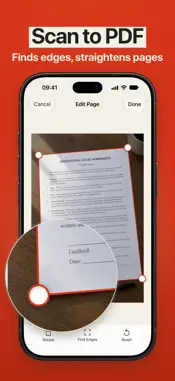
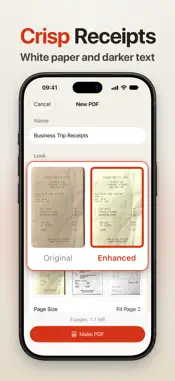
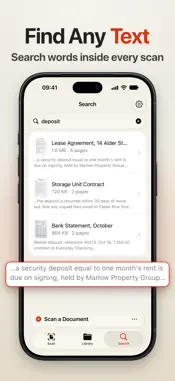
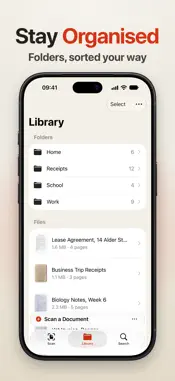
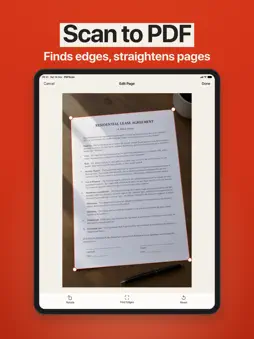
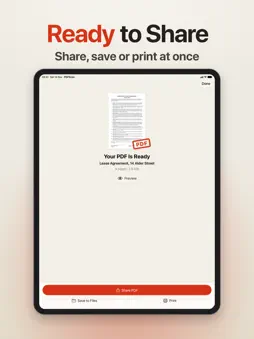
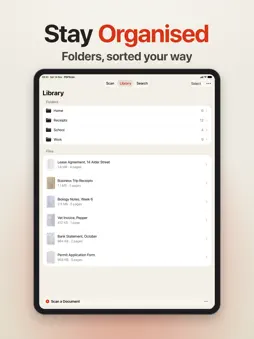
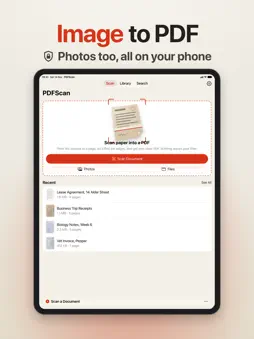
Turn paper and photos into clean, searchable PDFs with your iPhone or iPad. Scan receipts, contracts, notes and forms, or convert pictures from Photos and Files. It's for anyone who keeps paperwork: receipts for expenses, signed contracts, class notes, forms you need to send back. Point the camera at a page and it finds the edges and straightens the sheet, so you get a flat, readable page, not a photo of your desk. All of it happens on your device, and your documents are never uploaded. Find documents by what they say - Text on every page is recognized on your device and saved inside the PDF, so you can search it, select it and copy it. - Search your library by file name or by the words inside your documents. - Text recognition can miss or misread words, especially in handwriting or faint print, so check anything important. Pages that look right - Pick one look for the whole document: Original, Enhanced (whiter paper and darker ink, with the color kept), Grayscale, or Black and White for crisp text even where the page had a shadow. - Rotate a page or drag its corners to crop it again. Pictures from Photos and Files open with the sheet's edges already found. - The preview is made the same way as the PDF, so what you see is what you get. PDFs the size you need - Fit the page to the scan, or use A4 or US Letter with optional margins for printing. - Choose image quality from Best to Smaller to fit email and upload limits, and see the real file size before you save. - Reorder, remove or add pages from the camera, Photos or Files before the PDF is made. Keep and finish your paperwork - Keep every PDF in the app, organized in folders. - Add new pages to a saved PDF later. They go after the pages it already has. - Mark Up a PDF with text, drawings and your signature, saved into the file (Pro). - Start a scan from the app icon's quick menu, Siri, Shortcuts or the Action Button. Download Now Scanning, editing pages, making and previewing PDFs, and organizing your library are all free. A Pro subscription lets you take documents out of the app with Share, Save to Files and Print, and unlocks Mark Up. If you tap one of these without Pro, the subscription options appear. Subscribe, and the share or save you started carries on by itself. If you don't, your scans stay safe in the library. Privacy Policy: https://www.madbyteapps.com/pdfscan/privacy Terms of Use (EULA): https://www.madbyteapps.com/pdfscan/terms
What's New
Version 2.0.0 2026-11-16
PDFscan 2.0 is here with a fresh new design. - New Enhanced look turns paper bright white and makes text crisp, alongside Original, Grayscale and Black and Wh...PDFscan 2.0 is here with a fresh new design. - New Enhanced look turns paper bright white and makes text crisp, alongside Original, Grayscale and Black and White - Every PDF you make is now searchable, with text recognized right on your iPhone - Search finds words inside your documents, not only in their names - Rotate or recrop any page before you make the PDF - Add new pages to a document you already saved - Choose a page size for your PDF: Fit Page, A4 or US Letter - Live page previews show exactly how each look will turn out - Sort your library by date, name or size - Mark up your PDFs with text, drawings and signatures Technical Analysis
Package Overview Basic metadata
Bundle ID
com.madbyteapps.pdfscanner Current Version 2.0.0
Minimum iOS 18.0
Package Size App Store Size
Package Metadata 0 / 5 version records
4.3 / 5.0 (3 ratings)
Detailed binary, privacy manifest, framework, and Info.plist results have not been indexed for this package yet. The verified App Store and archive metadata above remains available.
Developer Information
Known Version Records
0 version records with stored package metadata • 5 known version records
Stored metadata does not guarantee a package is currently available to download.
| Details | Version / IDs | Version date | Action |
|---|---|---|---|
| Not archived | App Store ID: 895231406 | Unknown | Request Version |
| Not archived | App Store ID: 893838175 | Unknown | Request Version |
| Not archived | App Store ID: 881867965 | Unknown | Request Version |
| Not archived | App Store ID: 881652725 | Unknown | Request Version |
| Not archived | App Store ID: 880624305 | Unknown | Request Version |