Preview





Description
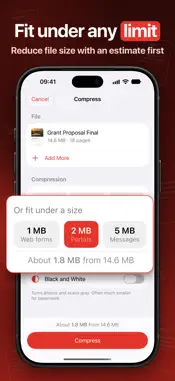
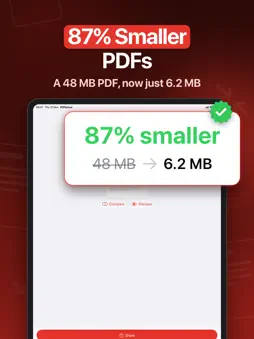
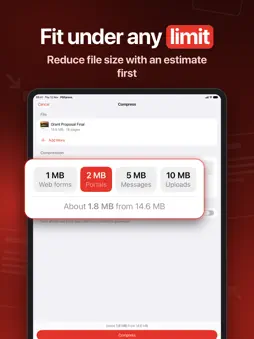
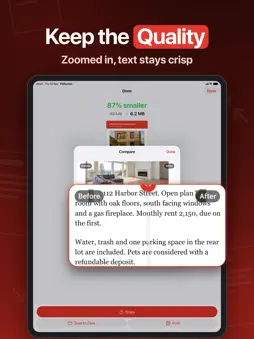
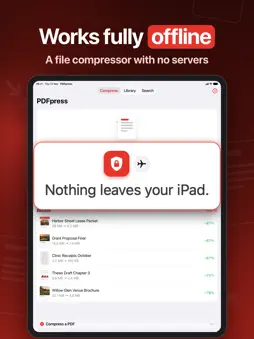
Make big PDFs small enough to email, upload or store. Images shrink while text stays sharp and selectable, and all of the work happens on your device. It's for anyone whose scan was rejected by a portal, whose email bounced because the attachment was too large, or whose contracts, reports and receipts take up too much space. You get a smaller copy that still looks right, on iPhone or iPad, and your original file is never changed. HIT THE SIZE YOU NEED - Set a target of 1, 2, 5, 10 or 25 MB, or type any size, and the app keeps as much quality as will fit. - Or choose Light, Balanced or Strong and see roughly how big the new file will be before you compress. - Compare the original and the compressed copy zoomed in on the same spot, and drag a handle to wipe between them. - You never get a file bigger than the one you started with. If a PDF is already about as small as it can be, the app tells you. TEXT STAYS TEXT - Only the images inside are resized. Text, fonts and drawings are left exactly as they were, so words stay crisp, searchable and selectable. - A Black and White option turns photos and scans gray, which often makes paperwork much smaller. - Open a password-protected PDF by entering the password once. The compressed copy opens without one. BRING IN FILES ANY WAY - Compress several PDFs from Files at once. - Scan paper with the camera, or turn a set of photos into one PDF, and shrink it straight away. - Open PDFs from Mail, Files or the share sheet, or drag and drop them in. KEEP WHAT YOU'VE FINISHED - Compressed files stay in a library you can search and sort into folders. - See how much space you've saved in total. - Share, save to Files or print any finished PDF (Pro). PRIVATE BY DESIGN Your documents are compressed on your iPhone or iPad and are never uploaded. There is no account to create and no analytics. DOWNLOAD NOW Compressing, comparing and keeping files in your library are free, so you can see exactly how small a file gets before you pay anything. Pro is a subscription that lets you take the compressed PDF out of the app by sharing it, saving it to Files or printing it. If you tap one of those without Pro, the subscription options appear, and once you subscribe, the share or save carries on by itself. Privacy Policy: https://www.madbyteapps.com/pdfpress/privacy Terms of Use (EULA): https://www.madbyteapps.com/pdfpress/terms
What's New
Version 2.0.0 2026-11-13
PDFpress 2.0 is here as a faster, fully native app. - A new compression engine shrinks embedded images while keeping text sharp and selectable. - See an estimat...PDFpress 2.0 is here as a faster, fully native app. - A new compression engine shrinks embedded images while keeping text sharp and selectable. - See an estimate of the new file size before you compress. - Set a size your file has to fit under, ideal for email and upload limits. - Compare the original and compressed versions side by side with a before and after slider. - Turn pages gray with the new Black and White option. - Scan documents with your camera. - Keep finished files organized in a library with folders and search. - Many bug fixes and smoother performance. Technical Analysis
Package Overview Basic metadata
Bundle ID
com.madbyteapps.pdfcompressor Current Version 2.0.0
Minimum iOS 18.0
Package Size App Store Size
Package Metadata 0 / 3 version records
Detailed binary, privacy manifest, framework, and Info.plist results have not been indexed for this package yet. The verified App Store and archive metadata above remains available.
Developer Information
Known Version Records
0 version records with stored package metadata • 3 known version records
Stored metadata does not guarantee a package is currently available to download.
| Details | Version / IDs | Version date | Action |
|---|---|---|---|
| Not archived | App Store ID: 889362637 | Unknown | Request Version |
| Not archived | App Store ID: 885301484 | Unknown | Request Version |
| Not archived | App Store ID: 880361174 | Unknown | Request Version |