
Preview





Description
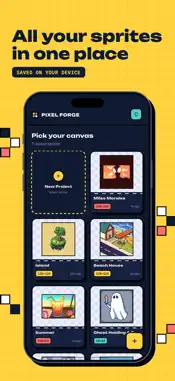
Pixel Forge is a fast, playful pixel art editor built for your iPhone. Pick a canvas, grab a color, and start drawing sprites, icons, avatars and retro game art in seconds. START WITH THE RIGHT CANVAS Choose a square grid from 16x16 up to 128x128 pixels. Small canvases for chunky retro sprites, big ones for detailed scenes. DRAW YOUR WAY • Pencil to paint pixel by pixel or drag to draw lines • Eraser to clear pixels back to transparent • Eyedropper to pick any color already on your canvas and keep drawing with it • Undo and redo for every stroke, so you can experiment without fear COLORS THAT FIT YOUR STYLE • A ready-to-use palette right at your thumb • A custom color picker with a color square, hue slider and HEX input for exactly the shade you want WORK COMFORTABLY • Zoom in for precise pixel work and zoom out to see the whole picture • Pan mode to move around large canvases without accidentally drawing • Fit to screen to jump back to a full view instantly YOUR GALLERY OF SPRITES • All your projects live in one colorful grid • Rename projects, reopen them any time, and delete the ones you no longer need • Your work is stored on your device, no account required SHARE YOUR ART • Card: a stylish, ready-to-post picture of your artwork with the Pixel Forge look • Image: a clean PNG of just your pixels, with real transparency for the empty areas, ready to use as an asset in games and other projects • Share to any app, or save straight to your Photos library Whether you are making your first sprite or your hundredth, Pixel Forge keeps the tools simple and the fun high. Download Pixel Forge and start forging pixels today.
What's New
Version 1.1.1 2026-11-17
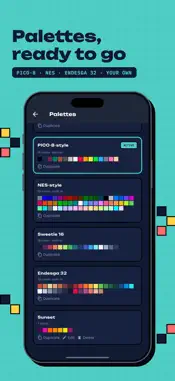
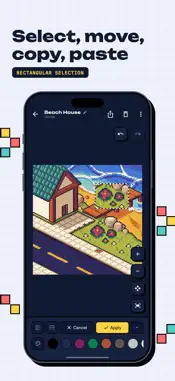
Big drawing update! • Fill bucket, line, rectangle and ellipse tools • Mirror symmetry drawing • Ready-made palettes (PICO-8, NES, Endesga 32…) and your own cus...Big drawing update! • Fill bucket, line, rectangle and ellipse tools • Mirror symmetry drawing • Ready-made palettes (PICO-8, NES, Endesga 32…) and your own custom palettes • Brush sizes 1×1–3×3 and dither patterns • Select, move, copy, cut, paste and flip any area • Rotate and flip the whole canvas, replace a color everywhere • Canvas sizes up to 512×512 with any aspect ratio Technical Analysis
Package Overview Basic metadata
Bundle ID
com.crutchdev.pixelForge Current Version 1.1.1
Minimum iOS 17.6
Package Size App Store Size
Package Metadata 0 / 0 version records
Detailed binary, privacy manifest, framework, and Info.plist results have not been indexed for this package yet. The verified App Store and archive metadata above remains available.
Developer Information
Known Version Records
0 version records with stored package metadata
Stored metadata does not guarantee a package is currently available to download.
| Details | Version / IDs | Version date | Action |
|---|