Preview

Description
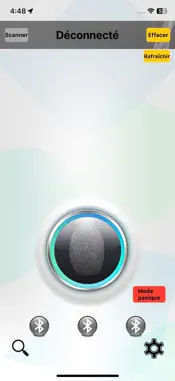
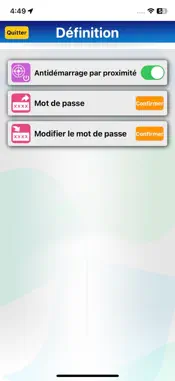
iPhone Bluetooth pairing Pair using iPhone system Go to Settings > Bluetooth and turn on Bluetooth, Click BR433 and enter the PIN Code 123456 to pair. Attention: Only the first iPhone can use system pairing, the second and third Smartphones can only be paired using the APP. APP Connect and Pair the BR433 Open the APP, then press the top left At list selection: Click BR433, to link, within 30sec., please enter default Connect Key Code (123456) to connect. After that, it will show whether to pair. If you need to pair, please click “OK” -> enter 123456 then click pair. The smartphone will be pair with BR433. Maximum pairing with 3 iPhone. Note: If you did not pair the BR433 with your iPhone you will need to enter the Connect Key Code every time to connect. Attention: According Bluetooth feature limit, only one phone can connect and work with main unit each time, must disconnect present connected phone(switch Off Bluetooth or keep connected phone over Bluetooth range)before enable connect another phone Bluetooth. So please disconnect all paired phones before pair a new iPhone.
What's New
Version 1.1.5 2025-10-21
Modify UI graphics and text content Technical Analysis
Package Overview Basic metadata
Bundle ID
com.iKey.br433 Current Version 1.1.5
Minimum iOS 15.6
Package Size App Store Size
Package Metadata 0 / 2 version records
Detailed binary, privacy manifest, framework, and Info.plist results have not been indexed for this package yet. The verified App Store and archive metadata above remains available.
Known Version Records
0 version records with stored package metadata • 2 known version records
Stored metadata does not guarantee a package is currently available to download.
| Details | Version / IDs | Version date | Action |
|---|---|---|---|
| Not archived | App Store ID: 878973374 | Unknown | Request Version |
| Not archived | App Store ID: 874885322 | Unknown | Request Version |