
Preview









Description
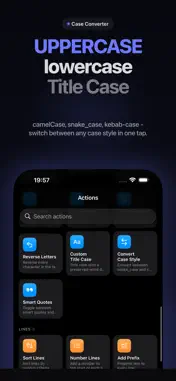
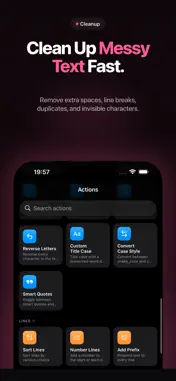
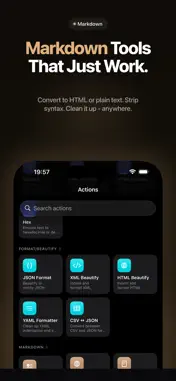
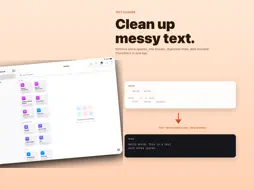
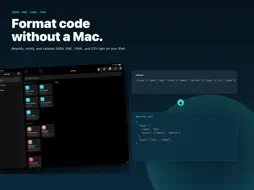
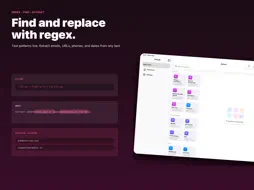
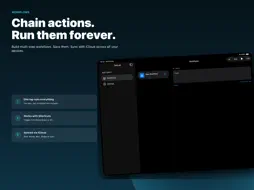
TextLab is a fast text utility for iPhone and iPad. Paste any text, pick a transformation, copy the result. No setup, no signup, no clutter. Whether you write copy, ship code, edit content, or just clean up messy text from emails and documents, TextLab handles the boring parts so you do not have to. Everything runs on your device. Your text never leaves your iPhone. WHAT IT DOES • Convert case in one tap. UPPERCASE, lowercase, Title Case, Sentence case, camelCase, PascalCase, snake_case, kebab-case. All the formats developers and writers actually use. • Clean up text fast. Remove extra spaces, empty lines, line breaks, duplicate words, duplicate lines. Trim whitespace. Strip rich text formatting in one tap. • Count what matters. Characters, words, lines, sentences, paragraphs, reading time. Live as you type. • Reverse, shuffle, sort. Reverse words, reverse letters, sort lines alphabetically or by length, shuffle randomly. PREMIUM TOOLS • Workflows. Chain any number of actions into a single reusable transformation. Save it, name it, give it an icon, run it on any text in one tap. Edit a workflow once, use it forever. • JSON and data formatters. Beautify or minify JSON. Format XML, HTML, YAML. Convert CSV to JSON and back with custom delimiters. Strip HTML tags. Strip Markdown. • Encoders and decoders. Base64, URL encoding, HTML entities, hex. Encode or decode in one tap. • Find and replace with regex. Full NSRegularExpression support for advanced search and replace. • Extract anything. Pull emails, links, phone numbers, dates from any block of text. Or write your own regex pattern to extract whatever you need. • Line tools. Sort lines, number lines (decimal or Roman), add prefix or suffix to every line, delete lines containing or not containing text, break lines after every word, sentence, or position. • Cleanup pro. Remove diacritics. Remove invisible Unicode characters that break text from web pages. Remove emojis. Filter words by pattern. • Markdown tools. Convert Markdown to HTML. Strip Markdown syntax to plain text. Clean Markdown formatting. • Apple Intelligence. On supported devices running iOS 26, run text through the on-device language model with your own prompt. Translate, rephrase, fix grammar, summarize. All on device. • Shortcuts integration. Every TextLab action and every workflow you create works as a Shortcuts action. Build automations, run them with a tap, a Siri command, or a Home Screen widget. • Share extension. Select text in any app, hit Share, run any TextLab action without leaving the app you are in. • iCloud sync. Your workflows follow you across iPhone and iPad. PRICING Free tier covers basic case conversion, cleanup, counters, and reverse. Genuinely useful with no time limits, no daily caps, no nags. PRIVACY TextLab does not collect any data. No analytics. No tracking. No accounts. All transformations run on your device. Your text is never sent over the internet. iCloud sync uses your private iCloud database, encrypted by Apple. WHO IT IS FOR • Developers who format JSON, debug data, convert case styles, encode tokens, test regex patterns. • Writers and journalists who clean up draft text, fix smart quotes, strip formatting, count words. • Marketers and copywriters who format headlines, generate slugs, count characters for ad copy, prepare social posts. • Students and researchers who clean up scraped text, format citations, transform data sets. • Anyone tired of pasting text into ten different websites just to fix capitalization. Terms: https://www.apple.com/legal/internet-services/itunes/dev/stdeula/
What's New
Version 6.0 2026-10-22
Made for iPhone Duo • Unfold your iPhone Duo and TextLab becomes a two page workspace that splits exactly at the fold. • Before and After puts your text on one ... Technical Analysis
Package Overview Basic metadata
Bundle ID
org.secure-software.textlab Current Version 6.0
Minimum iOS 17.0
Package Size App Store Size
Package Metadata 3 / 7 version records
Detailed binary, privacy manifest, framework, and Info.plist results have not been indexed for this package yet. The verified App Store and archive metadata above remains available.
Developer Information
Known Version Records
3 version records with stored package metadata • 7 known version records
Stored metadata does not guarantee a package is currently available to download.
| Details | Version / IDs | Version date | Action |
|---|---|---|---|
| 10.84 MB | v5.2 App Store ID: 891738977Build: 5.2 | 2026-09-21 22:20:35 | Get Version |
| 10.84 MB | v5.1 App Store ID: 891089765Build: 5.1 | 2026-09-10 04:09:18 | Get Version |
| 10.53 MB | v5.1 App Store ID: 890183900Build: 5.1 | 2026-09-10 04:09:18 | Get Version |
| Not archived | v4.0 App Store ID: 887924943Build: 4.0 | 2026-08-03 15:57:12 | Request Version |
| Not archived | v3.0 App Store ID: 886919849Build: 3.0 | 2026-06-16 01:34:36 | Request Version |
| Not archived | v2.0 App Store ID: 885654417Build: 2.0 | 2026-05-15 11:53:22 | Request Version |
| Not archived | v1.0 App Store ID: 885220260Build: 1.0 | 2026-05-06 23:57:35 | Request Version |