
Preview










Description
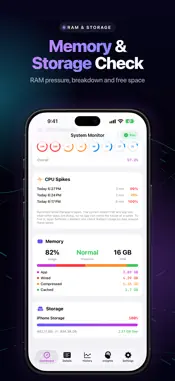
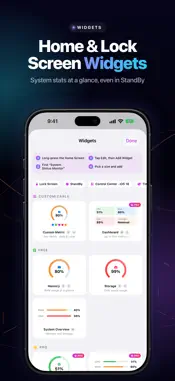
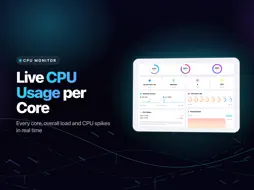
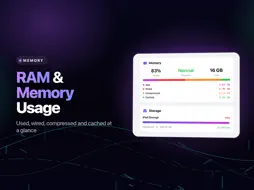
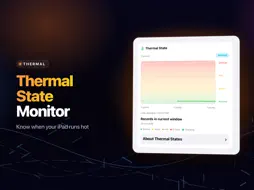
System Monitor is the ultimate device monitor and system status tracker designed for iPhone and iPad. Get comprehensive real-time insights into your device's performance, RAM usage, storage activity, battery health, and complete system monitoring in one powerful application. COMPLETE SYSTEM MONITOR DASHBOARD Transform how you monitor system status with our intuitive interface that displays all critical metrics at a glance. Track device performance, monitor RAM allocation, observe storage activity, and maintain optimal system health. Our system monitor provides instant access to vital system information, helping you identify performance issues and optimize your iPhone's resources. INTELLIGENT RAM & MEMORY MANAGEMENT Monitor RAM usage with precision memory tracking tools. View real-time memory pressure, track application memory consumption, and understand how your device utilizes resources. Our system monitor displays used, wired, compressed, and cached memory statistics, giving you complete visibility into RAM allocation. Monitor system status changes and optimize memory for improved multitasking on your iPhone and iPad. COMPREHENSIVE STORAGE ANALYSIS & TRACKER Monitor storage activity with detailed usage analysis. Track available space across all categories, monitor storage patterns, and identify what's consuming your device's capacity. Our device monitor provides real-time storage visualization, helping you understand system performance and manage storage efficiently before your iPhone runs out of space. BATTERY & CHARGING STATUS Keep an eye on your battery level and charging state. Our system monitor displays current charge percentage, thermal state, and charging status, giving you quick access to essential battery information alongside all your other system metrics. NETWORK ACTIVITY MONITOR Track network performance with real-time upload and download speed monitoring. Monitor Wi-Fi and cellular connections, analyze bandwidth usage, and identify network bottlenecks. Our device monitor displays comprehensive network statistics for both Wi-Fi and mobile data, helping you optimize connection performance and troubleshoot connectivity issues. DEVICE INFORMATION & SYSTEM STATUS Access complete device specifications and system information. Monitor processor details, check iOS version, track uptime, and view detailed hardware information. Our system status monitor gives you full transparency into your iPhone and iPad internals, providing information Apple doesn't show you by default. CPU & PROCESSOR PERFORMANCE Monitor CPU usage in real-time with detailed processor activity tracking. View system and user process load, track CPU performance patterns, and understand how apps impact your device. Our system monitor helps you identify resource-heavy applications and maintain smooth performance on your iPhone. KEY FEATURES • Real-time CPU monitoring with processor usage tracking • Comprehensive RAM and memory pressure analysis • Storage usage analysis with category breakdown • Battery health tracking including cycles and capacity • Network activity monitor with Wi-Fi and cellular stats • Device information and system specifications • Historical statistics dashboard • Home Screen widgets for quick system status • iCloud Sync • Customizable alerts for system status changes • Minimal resource footprint • Native iOS design optimized for iPhone and iPad Terms of Use: https://www.apple.com/legal/internet-services/itunes/dev/stdeula/ Whether you're a power user optimizing performance, a developer monitoring system resources, or simply want to keep track of your iPhone's health, System Monitor provides all the tools you need. Download now and take control of your device's performance with the most comprehensive system monitor available for iOS.
What's New
Version 6.0 2026-11-16
Sharper numbers and a history you can read at a glance. History that makes sense - History now opens on the device in your hand. Switch to All Devices to compa...Sharper numbers and a history you can read at a glance. History that makes sense - History now opens on the device in your hand. Switch to All Devices to compare your iPhone, iPad and Mac, each with its own line and color. - Charts no longer draw a line across the time the app was closed, so you only see what was really measured. Readings you can trust - CPU and network figures are accurate from the first second after you open the app or come back to it. - Memory now shows what your apps use and what is only cached, with the pressure level reported by the system itself. - Network speeds and totals use the same units everywhere, widgets included. Smarter AI Insights - Forecasts follow real time and look further back for slow changes such as battery health and storage. - Recommendations arrive as a clean list you can act on. Also in this update - Alerts set to 100% now fire, and an alert no longer repeats after you reopen the app. - The Control Center button opens the app as it should. - Added iPad mini with A20 Pro and more earlier iPhone and iPad models, plus corrected specs for many devices. Technical Analysis
Package Overview Basic metadata
Bundle ID
org.secure-software.systemstatusmonitor Current Version 6.0
Minimum iOS 17.0
Package Size App Store Size
Package Metadata 2 / 10 version records
Detailed binary, privacy manifest, framework, and Info.plist results have not been indexed for this package yet. The verified App Store and archive metadata above remains available.
Developer Information
Known Version Records
2 version records with stored package metadata • 10 known version records
Stored metadata does not guarantee a package is currently available to download.
| Details | Version / IDs | Version date | Action |
|---|---|---|---|
| Not archived | App Store ID: 891449832 | Unknown | Request Version |
| 12.46 MB | v5.0 App Store ID: 890634028Build: 5.0 | 2026-09-02 09:10:34 | Get Version |
| 9.67 MB | v5.0 App Store ID: 887815249Build: 5.0 | 2026-09-02 09:10:34 | Get Version |
| Not archived | v3.3 App Store ID: 887273775Build: 3.3 | 2026-06-24 15:28:59 | Request Version |
| Not archived | v3.2 App Store ID: 886604695Build: 3.2 | 2026-06-06 19:21:28 | Request Version |
| Not archived | v3.1 App Store ID: 885710828Build: 3.1 | 2026-05-18 14:38:52 | Request Version |
| Not archived | v3.0 App Store ID: 885480438Build: 3.0 | 2026-05-10 20:34:08 | Request Version |
| Not archived | v2.0 App Store ID: 884269679Build: 2.0 | 2026-04-09 08:17:54 | Request Version |
| Not archived | v1.1 App Store ID: 883051181Build: 1.1 | 2026-03-05 22:26:30 | Request Version |
| Not archived | v1.0 App Store ID: 882673769Build: 1.0 | 2026-02-24 12:36:42 | Request Version |