Preview







Description
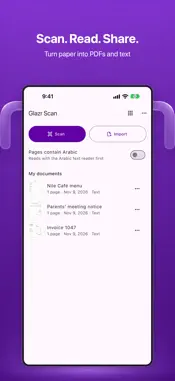
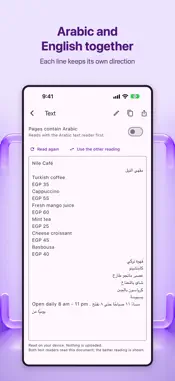
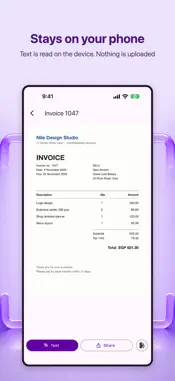
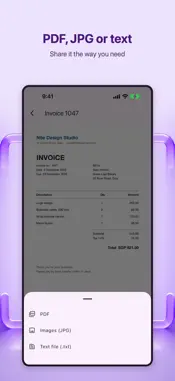
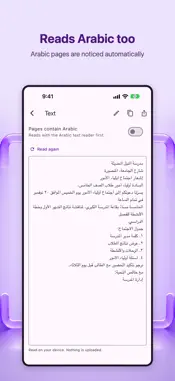
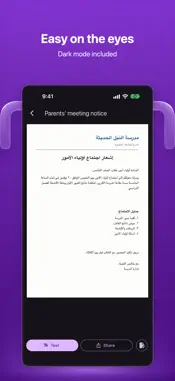
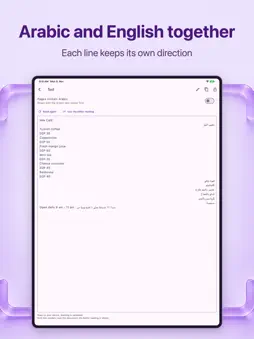
Glazr Scanner turns paper into a clean PDF and gives you its text. Point the camera at a page: the edges are found, the page is straightened and cleaned up. Then copy the text, edit it or share it. SCAN • The phone's document scanner: automatic edges, perspective correction and clean-up • Many pages in one document; retake, crop, rotate or reorder them before saving • Import photos (with cropping), image files or PDFs, or open them from other apps GET THE TEXT (OCR) • Text recognition runs on your phone, without internet • Arabic, English, French and German • Arabic pages: the app notices Arabic and switches to its Arabic reader. You can also turn on "Pages contain Arabic" • Copy the text, edit it, or save it as a .txt file SHARE • PDF with the text hidden under each scanned page, so English, French and German text can be searched and copied in other apps • JPG images of the pages • A text file PRIVATE • No account and no upload: scans, images and text stay on your device NEED TO EDIT? To add notes, highlights or signatures, or to merge and edit pages, tap "Edit in Glazr PDF". Free with ads. Ads appear only in the document list, never while you scan or read. Formerly PdfBlend: your PdfBlend documents are still in the app, with your notes and drawings kept.
What's New
Version 2.0 2026-11-12
PdfBlend is now Glazr Scanner. • New document scanner: automatic edges, straightening and clean-up, many pages at once • Text recognition on your phone, now wit...PdfBlend is now Glazr Scanner. • New document scanner: automatic edges, straightening and clean-up, many pages at once • Text recognition on your phone, now with Arabic • Share as PDF, JPG images or a text file • Your PdfBlend documents are still here, with your notes and drawings kept • Annotations, signatures and page tools moved to Glazr PDF: tap "Edit in Glazr PDF" Technical Analysis
Package Overview Basic metadata
Bundle ID
com.igy.PDFCraft Current Version 2.0
Minimum iOS 15.5
Package Size App Store Size
Package Metadata 0 / 7 version records
Detailed binary, privacy manifest, framework, and Info.plist results have not been indexed for this package yet. The verified App Store and archive metadata above remains available.
Developer Information
Known Version Records
0 version records with stored package metadata • 7 known version records
Stored metadata does not guarantee a package is currently available to download.
| Details | Version / IDs | Version date | Action |
|---|---|---|---|
| Not archived | App Store ID: 894951782 | Unknown | Request Version |
| Not archived | App Store ID: 893934571 | Unknown | Request Version |
| Not archived | App Store ID: 881258255 | Unknown | Request Version |
| Not archived | App Store ID: 880921279 | Unknown | Request Version |
| Not archived | App Store ID: 879838073 | Unknown | Request Version |
| Not archived | App Store ID: 879424262 | Unknown | Request Version |
| Not archived | App Store ID: 878883503 | Unknown | Request Version |