Preview


Description
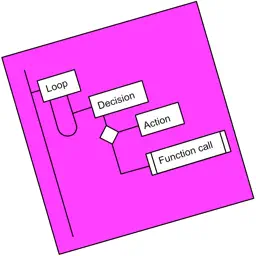
Designed for anyone wanting to design a process, or a complex algorithm, such as solving the "edge cases" of a UI. The Flowchart Notation is reborn with the new simple International Standard. Add and Move steps by drag-n-drop, or by Point-n-Tap. The app does all the drawing: you only have to indicate which steps to add, and their order. A Flowchart is a tree of ordered Steps, whose execution is breadth-first. Coders will instantly be familiar with the way any flowchart is laid out, and how the logic flows, but anyone, including youngsters, will find the notation intuitive. A Step is either a Loop, a Decision or an Action (the is also Async Action for coders). Flowcharts can be broken into smaller, linked, chunks (using Function Call steps). Every step can be annotated with Text and an Image. Your step annotations get collated and become part of generated Pdfs, which can be shared directly from the app via email. The app is designed to operate without internet access; i.e. it is “offline-first”: your work is stored on your device or, when using the web version, in browser storage. You can choose to have a copy of each flowchart sync'd to our Cloud, allowing you to work on them using any of your devices.
What's New
Version 330 2022-01-21
Resolved missing Apple Sign-in issue: Google Sign-in removed. In-app purchase ready to test. Version 1.0.1 2022-01-15
Technical Analysis
Package Overview Basic metadata
Bundle ID
app.flowcharter Current Version 330
Minimum iOS 12.0
Package Size App Store Size
Package Metadata 0 / 2 version records
Detailed binary, privacy manifest, framework, and Info.plist results have not been indexed for this package yet. The verified App Store and archive metadata above remains available.
Related Apps


Developer Information
Known Version Records
0 version records with stored package metadata • 2 known version records
Stored metadata does not guarantee a package is currently available to download.
| Details | Version / IDs | Version date | Action |
|---|---|---|---|
| Not archived | v330 App Store ID: 846667174Build: 330 | 2022-01-21 16:10:26 | Request Version |
| Not archived | v1.0.1 App Store ID: 830026254Build: 1.0.1 | 2022-01-15 10:45:41 | Request Version |