Preview






Description
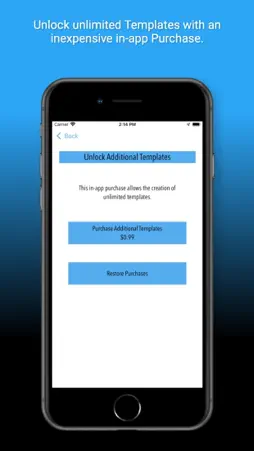
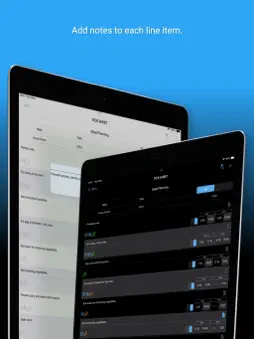
Welcome to TimeTick - a time-based checklist! Use it as a daily to-do list, an aid to schedule meal preparation tasks, a tool to keep agendas on track, a means to monitor time during practice exams, or a simple timed log of completed items. The free version of the app is fully functional for a single Template but requires a small one-time in-app purchase to enable multiple Templates. Start by defining a Template and use this Template as the blueprint for one or more Tick Sheets. For example, set up a Template once and use that Template to create daily Tick Sheets for repetitive tasks. Alternatively, create an outline meal planning Template and use this as the starting point for a Tick Sheet for scheduling the preparation of different meals. Templates can be set up to track tasks relative to a reference time or cascading from a reference time. For example, in a meal planning situation, the reference time would show the planned dinner time and the target times for each task would all be relative to this reference time. An exam practice schedule, on the other hand, would use a cascading time with the total exam time split between the questions in proportion to their allocated marks. In the Tick Sheet for the first example, the Time Bank shows a countdown to the reference time, and in the second example, it indicates whether you have time in hand or are behind schedule. The Time Bank function allows for +/- six hours of ‘banked time’. On completion each item row is ‘ticked off’ by entering a completion time. Times can be entered manually, or by using a time entry button or swipe gesture, both of which use the app clock. Each item line also supports individual notes for additional information. Completed Tick Sheets may be emailed as a PDF and a tab-delimited file. The app has an extensive notification system. Each item row can be assigned a combination of colour, background notification and foreground audible alert. When the target time for a row is reached any notifications for that row are triggered: * A colour notification will change the colour of the toolbar from the default grey to the assigned colour - it will remain this colour until changed by a further target time trigger. * A sound notification will result in an audible chime if the app is active. * A background notification and associated sound will be triggered if the app is not active. Both the sound and background notifications for an entire Tick Sheet can be overridden by selecting these options 'on' or 'off' in the Tick Sheet preferences - 'on' is the default option. All the notification features may be set up in the Template Editor and inherited by the associated Tick Sheets or set up and amended directly in individual Tick Sheets. The app includes a clock that can be toggled between three time zones. (UTC, device system time and local time) TimeTick is set up to be easy to use. All views support dragging and dropping item rows to new positions. Where appropriate target times will be recalculated to reflect the new row position. Rows may be deleted in all views by swiping left on a row. In Tick Sheets, times can be entered by swiping right on a row. To help get you started the app comes with freely editable sample Template that is populated with the typical tasks performed by flight crew when loading a freight aircraft (also a great use for TimeTick!) The app was developed to work well on the small screen of an iPhone but scales effectively to the larger iPad screens. This version does not allow synchronisation between devices.
What's New
Version 1.1.6 2023-11-11
Version 1.1.5 •Amended the PDF report to fix an issue with time difference values, in some circumstances, overflowing to the next line. •Added some optional sum... Technical Analysis
Package Overview Basic metadata
Bundle ID
com.coldaridcode.TimeTick Current Version 1.1.6
Minimum iOS 13.0
Package Size App Store Size
Package Metadata 0 / 8 version records
Detailed binary, privacy manifest, framework, and Info.plist results have not been indexed for this package yet. The verified App Store and archive metadata above remains available.
Developer Information
Known Version Records
0 version records with stored package metadata • 8 known version records
Stored metadata does not guarantee a package is currently available to download.
| Details | Version / IDs | Version date | Action |
|---|---|---|---|
| Not archived | App Store ID: 861405258 | Unknown | Request Version |
| Not archived | App Store ID: 861395547 | Unknown | Request Version |
| Not archived | App Store ID: 855500592 | Unknown | Request Version |
| Not archived | App Store ID: 849970832 | Unknown | Request Version |
| Not archived | App Store ID: 849419366 | Unknown | Request Version |
| Not archived | App Store ID: 848837196 | Unknown | Request Version |
| Not archived | App Store ID: 844014100 | Unknown | Request Version |
| Not archived | App Store ID: 841230790 | Unknown | Request Version |