
Preview






Description
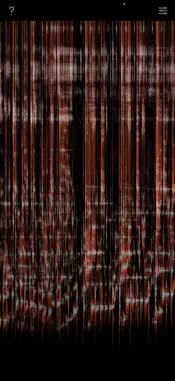
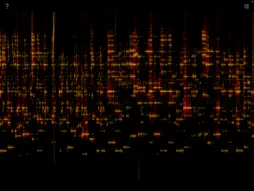
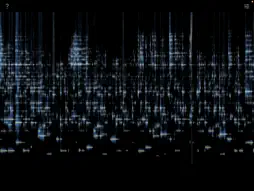
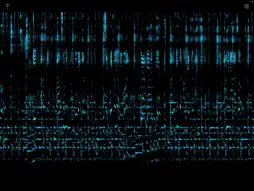
PitchMage listens through your microphone and draws what it hears: a scrolling picture with low notes at the bottom, high notes at the top, and the newest sound at the right. What makes it different from an ordinary spectrogram is the color. Every sound is split two ways. One color is sound that holds a steady pitch — a sung note, a bowed string, a struck bell still ringing. The other is everything else — breath, consonants, percussion, handling noise, the general hiss of a room. A sound that is part one and part the other is drawn as a mix, in proportion, so the color is a reading rather than a label. A tone and a noise burst can carry exactly the same energy at exactly the same pitch, and a conventional display cannot tell them apart. PitchMage can, and shows you which is which as it happens. A singer can see the moment a note settles, and the moment it stops being supported. A player can watch an instrument's overtones appear above the note being played. Anyone can watch a room's background noise sit quietly out of the way while the sound they care about stands out from it. It is also fun to look at as it paints the world around you. FEATURES • Real-time display, about a twentieth of a second from sound to screen • Range of 27.5 Hz to 14 kHz • Two views: tone and noise together, or the tone alone • Four color schemes, including ones chosen to stay readable with color blindness • Freeze the display and drag back through the last minute • Three speeds, trading detail against how much history fits on screen • Background noise hidden by default, so quiet rooms stay quiet • iPhone and iPad, portrait and landscape PitchMage needs sound to show anything. In a silent room the display stays dark — that is it drawing what it hears. Hum, whistle, play something, or put on music. Everything happens on your device. PitchMage never records audio, never stores it, and sends nothing anywhere.
What's New
Version 1.1 2026-10-17
Colors you can choose The display now offers four color schemes. The default has changed to cyan and red, and three of the four are chosen so the two kinds of ...Colors you can choose The display now offers four color schemes. The default has changed to cyan and red, and three of the four are chosen so the two kinds of sound stay apart for people with color blindness — the original green and red is the hardest pair to tell apart, and it is still there if you prefer it. Settings, top right. Fixes • The microphone now recovers after a phone call or an interruption. Before, it stopped listening until the app was closed and reopened. • Plugging in or unplugging a microphone is picked up straight away. • Opening PitchMage while another app is using the microphone no longer leaves it silent; it starts as soon as the microphone is free. • Changing the scroll speed no longer leaves the display blank. • On iPad, the help and settings buttons no longer sit where iPadOS wants its own gestures — tapping them used to open the sidebar or pull the app into Split View instead of doing what they say. The two views are now called "tone and noise" and "tone only", which is what they show. The help panel lists the version, which saves a round trip if you ever write in. Technical Analysis
Package Overview Basic metadata
Bundle ID
com.pitchmage.viewer Current Version 1.1
Minimum iOS 18.2
Package Size App Store Size
Package Metadata 0 / 0 version records
Detailed binary, privacy manifest, framework, and Info.plist results have not been indexed for this package yet. The verified App Store and archive metadata above remains available.
Developer Information
Known Version Records
0 version records with stored package metadata
Stored metadata does not guarantee a package is currently available to download.
| Details | Version / IDs | Version date | Action |
|---|