
Preview





Description
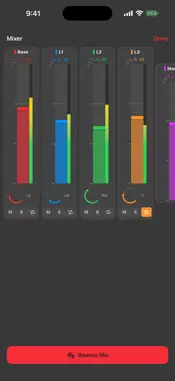
Sonedia is a pocket recording studio. Record, edit, overdub, mix, organize, collaborate, and export without a subscription. Free for everyone: - Base recording and playback with every quality preset, including lossless ALAC and uncompressed WAV - Multi-track overdub with up to 6 synchronized layers, per-channel mixer, and stereo mixdown - Studio editing, 4-band EQ, effects monitoring, metronome, projects, versions, tags, and automatic icons - Free smart naming using Apple/on-device intelligence when available — no paid AI minutes - Shared Albums with role-based collaboration - Searchable transcripts — tap a recognized cue to play near its recognition time - Tamper-evident proof receipts using on-device SHA-256 and a timestamp - Multi-format export — WAV, M4A (AAC), and ALAC lossless - Optional iCloud library sync using your Apple account - Apple Watch capture with automatic transfer to iPhone - 7 distinctive studio themes Sonedia Pro is an optional auto-renewable subscription for Cloud AI Insights: - Whole-recording analysis for substantially richer titles and more context-aware automatic icons than the free local path - Structured summaries, key points, and action items - Rich typed full-audio transcripts and music insights such as key, tempo, and sections when relevant Basic Pro Monthly includes 60 minutes of optional Cloud AI audio processing per month. Premium Pro Monthly and Premium Pro Yearly include 220 Cloud AI audio minutes per month; the Premium plans differ only by billing period. Eligible new users receive 10 total trial AI audio minutes. Allowances are verified and enforced by Sonedia using StoreKit entitlement proof and App Attest, and unused minutes do not roll over. Apple displays the localized price and any eligible introductory offer before purchase. Subscriptions renew automatically unless canceled at least 24 hours before the end of the current period. Payment is charged to your Apple Account, and you can manage or cancel in App Store subscription settings. Privacy: - Recording, playback, transcript search, and SHA-256 proof hashing run on-device; completing and verifying a proof requires connectivity so iCloud can store the receipt with an Apple server timestamp, and an offline proof remains pending - Apple speech transcription runs on-device by default. If you explicitly enable or choose Apple server recognition, selected audio is sent to Apple and requires a network connection. Availability varies by device and language - iCloud sync is optional and uses your own Apple account - If you attach precise location to a recording, that coordinate can sync with the recording and can be visible to participants when you share it in a Shared Album - Free smart naming and automatic icons stay on Apple/on-device paths and never call Sonedia's AI service. Only when a paid user enables AI Insights with explicit consent is the selected audio securely uploaded for temporary cloud processing; entitlement and usage limits are verified by Sonedia, provider files are deleted after processing, and the app contains no provider API key - Sonedia maintains no separate hosted recording library and runs no advertising analytics or tracking
What's New
Version 1.0.2 2026-10-23
This update improves recording recovery, iCloud library sync, Shared Albums, audio editing, export, and layouts when the available screen size changes. Reset to... Technical Analysis
Package Overview Basic metadata
Bundle ID
com.iacompa.sonedia Current Version 1.0.2
Minimum iOS 17.0
Package Size App Store Size
Package Metadata 0 / 0 version records
Detailed binary, privacy manifest, framework, and Info.plist results have not been indexed for this package yet. The verified App Store and archive metadata above remains available.
Developer Information
Known Version Records
0 version records with stored package metadata
Stored metadata does not guarantee a package is currently available to download.
| Details | Version / IDs | Version date | Action |
|---|