Preview


Description
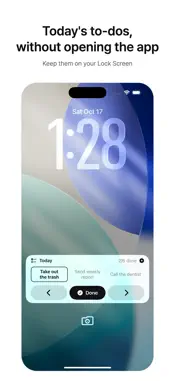
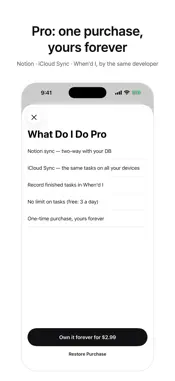
The trouble with to-do apps is simple: you have to open them to see anything. What Do I Do puts today's to-dos on your Lock Screen and in the Dynamic Island. Every time you glance at your phone, you see what's next, and you can check it off right from the Lock Screen. How it works • Open the app and today's to-dos appear on the Lock Screen and in the Dynamic Island • Tap once on the Lock Screen to finish a task — no need to open the app • 10 Lock Screen layouts: large rows, a two-column grid, a progress bar, multiple cards and more • A circular Lock Screen widget that shows how many are left • Type in the field at the bottom of Home, and pick a date and a repeat (daily, weekdays, weekly) • Repeating tasks don't pile up when you miss a day — you see how many days behind you are • Jot down ideas as memos • 6 themes, all free • 15 languages What Do I Do Pro (one-time purchase) • iCloud Sync — the same tasks on all your devices • Notion sync — two-way with your Notion task database; Lock Screen checks show up in Notion • No limit on tasks (free: add up to 3 a day saved on this device) Built to be trusted • No sign-up, no account. Tasks are saved on this device by default • We don't store your tasks on our own servers — only on your device, your iCloud and your Notion • Check things off offline; they reach Notion once you're back online Note: iOS shows the Lock Screen and Dynamic Island display for up to 8 hours at a time. We'll let you know 5 minutes before it ends. Notion is a trademark of Notion Labs, Inc. This app is independent and is not affiliated with or sponsored by Notion Labs, Inc.
What's New
Version 2.3.0 2026-10-28
• Connect several Notion to-do databases and switch between them by tapping the list name at the top left (Settings → Connections → Notion → Add Notion DB). • S... Technical Analysis
Package Overview Basic metadata
Bundle ID
com.aslla.notionisland Current Version 2.3.0
Minimum iOS 17.0
Package Size App Store Size
Package Metadata 0 / 0 version records
Detailed binary, privacy manifest, framework, and Info.plist results have not been indexed for this package yet. The verified App Store and archive metadata above remains available.
Known Version Records
0 version records with stored package metadata
Stored metadata does not guarantee a package is currently available to download.
| Details | Version / IDs | Version date | Action |
|---|