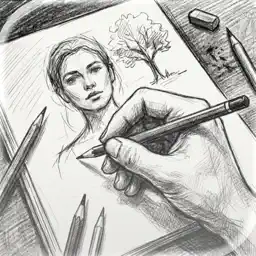
Preview
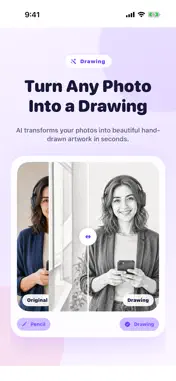




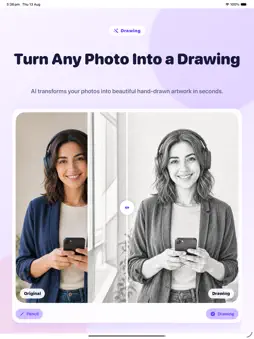




Description
Turn pictures into drawings effortlessly with the ultimate picture to drawing studio designed for creative photo editing. Convert your favorite everyday memories into stunning pencil sketches, detailed line art, and artistic portraits in a single tap. Whether you want a soft graphite finish, bold ink lines, or a vintage sketch effect, our app turns your photo collection into a gallery of handcrafted artwork. Designed with advanced picture transformation technology, this app delivers instant, high-definition art without requiring any drawing skills. From custom profile pictures to personalized gifts, transforming your photos into sketch masterpieces has never been easier or faster. Key Features: - Instant Sketch Conversion: Turn pictures into drawings instantly using realistic pencil and ink filter algorithms. - Diverse Artistic Styles: Choose from line art, carbon pencil, colored sketch, stencil, crosshatch, and classic outline effects. - Fine Detail Adjustment: Fine-tune stroke thickness, contrast, shadow depth, and edge intensity for complete artistic control. - High-Resolution Export: Save and share your line drawings and sketch art in crisp clarity, suitable for printing on canvas or framing. - Simple Profile Picture Creator: Convert personal portraits into eye-catching stylized line drawings perfect for social media avatars. - Offline Editing Capabilities: Process photos directly on your device with high speed, ensuring privacy and convenience. Why You'll Love It: - Creative Social Posts: Stand out on social feeds with unique picture to drawing transformations that grab attention. - Personalized Gifts: Create custom line art illustrations of family, pets, or landscapes to print and frame for loved ones. - Concept & Stencil References: Ideal for artists, tattoo designers, and illustrators looking for quick line artwork outlines from source photos. - Quick & Intuitive Interface: Enjoy a seamless workflow with zero learning curve, allowing anyone to produce studio-grade drawings. Download today and start transforming your photos into beautiful line drawings and sketches in seconds! Subscription Information: – App usage is limited and needs a subscription for unlimited access. – Subscription Length: Weekly and Yearly – Free Trial: If offered, it will automatically convert to a paid subscription unless canceled. – Payment: Charged to your Apple ID account at confirmation of purchase. – Auto-Renewal: Automatically renews unless canceled at least 24 hours before the end of the current period. – Renewal Charge: Your account will be charged within 24 hours before the end of the current period, based on the selected plan. – Managing Subscription: Users can manage subscriptions and turn off auto-renewal in Account Settings on the App Store. – Free Trial Policy: Any unused portion of a free trial will be forfeited upon purchasing a subscription. Terms of Use: https://www.apple.com/legal/internet-services/itunes/dev/stdeula/ Privacy Policy: https://hyperignitionsystems.com/privacy-policy
What's New
Version 2.3 2026-10-17
Improved translations throughout the app, clearer drawing style labels, and an updated subscription preview showcasing different drawing styles. Technical Analysis
Package Overview Basic metadata
Bundle ID
com.mugenyi.PictureToDrawing Current Version 2.3
Minimum iOS 17.6
Package Size App Store Size
Package Metadata 0 / 12 version records
Detailed binary, privacy manifest, framework, and Info.plist results have not been indexed for this package yet. The verified App Store and archive metadata above remains available.
Developer Information
Known Version Records
0 version records with stored package metadata • 12 known version records
Stored metadata does not guarantee a package is currently available to download.
| Details | Version / IDs | Version date | Action |
|---|---|---|---|
| Not archived | App Store ID: 888531350 | Unknown | Request Version |
| Not archived | App Store ID: 887295598 | Unknown | Request Version |
| Not archived | App Store ID: 886203827 | Unknown | Request Version |
| Not archived | App Store ID: 881284137 | Unknown | Request Version |
| Not archived | App Store ID: 879106535 | Unknown | Request Version |
| Not archived | App Store ID: 877039199 | Unknown | Request Version |
| Not archived | App Store ID: 876193018 | Unknown | Request Version |
| Not archived | App Store ID: 875828629 | Unknown | Request Version |
| Not archived | App Store ID: 875735272 | Unknown | Request Version |
| Not archived | App Store ID: 875277917 | Unknown | Request Version |
| Not archived | App Store ID: 873719548 | Unknown | Request Version |
| Not archived | App Store ID: 872225767 | Unknown | Request Version |