Preview



Description
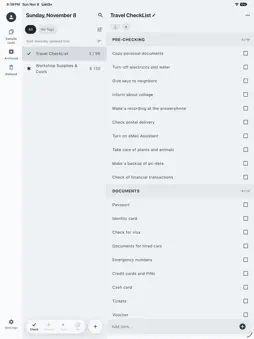
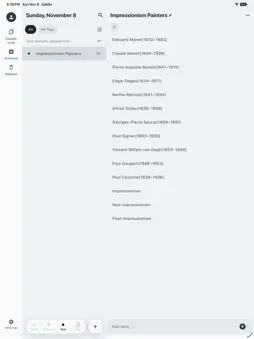
list3+ keeps tasks, checklists and spending in one place. Pick a type when you create a list, and the list shows only what that type needs — so groceries, packing, household spending and to-dos all stay light and simple. ■ Four list types · Simple list — a plain list you jot into. Shows the item count. · Checklist — check off what is done. Move checked items to the bottom, or clear them all at once. · Expense list — give each item an amount and see the total. Set a budget and the balance is tracked. · Expense + checklist — for lists that need both, like groceries. See the checked amount next to the total. ■ Add things fast · Type and add in one step. Long-press the + button to pick a date and insert it in the format you like. · Share text from another app and it lands as items in the list you choose. · Group items, and drag to reorder them. · Tap a link, phone number or email in an item to open it in another app. · Save a list you use often as a sample, and start new lists from it. ■ Repeating checklists · Turn on "Repeat when done", and once every item is checked, a fresh unchecked round of the list is created. Great for weekly groceries, packing for work trips or cleaning routines. · Number each round and look back at past rounds. ■ Everything at a glance · The home dashboard shows upcoming reminders, pinned lists, unchecked items and your spending total. Reorder the cards as you like. · Pick a currency for each list; spending totals are kept per currency. · Filter lists by tag, and search list names and items together. · Archive lists you are done with; restore deleted ones from the trash. ■ Don't forget · Set reminders on lists and items, with repeats — daily, on chosen weekdays, monthly or yearly. · Put a list on your home screen with the widget and check items straight from it. Repeating checklists move on to the next round right from the widget. ■ Across your devices · Sign in to back up to the cloud and restore on another device. · Turn on sync (beta) to keep lists, items and tags matched across iPhone, iPad, Mac, Android and the web (app.list3.plus) on the same account. · On wide screens like iPad, see your lists and the open list side by side. ■ Keep it safe, take it with you · Lock the whole app, or a single list, with a passcode and Face ID. · Export lists as TXT or PDF to share, or copy them to the clipboard. ■ Make it yours · Choose light or dark mode, a point colour and a background colour for each list. · Adjust the text size and item spacing. · Pick one of four app icon styles. · Available in 14 languages, including English, Korean and Japanese. ■ Purchases · Remove ads: a one-time purchase that removes ads permanently. · Subscription (monthly or yearly): removes ads and adds automatic backup and printing. · Purchases are tied to your account. Sign in with the same account on Mac and they apply there too. · Subscriptions renew automatically unless cancelled, in Settings > Apple Account > Subscriptions. Your entries are stored on your device by default. They reach the cloud when you run a backup or turn on sync, and periodically on their own if you subscribe and turn on automatic backup. Terms of Use (EULA): https://list3.plus/en/terms
What's New
Version 1.8.1 2026-11-11
• Change the closing line of exported documents (default "made by List3+") with the © button at the top right of the export screen. • Text and TXT files shared ...• Change the closing line of exported documents (default "made by List3+") with the © button at the top right of the export screen. • Text and TXT files shared from other apps now save straight into a list. • If you have never picked a default currency, new lists use your region's currency. • The TXT preview is now left-aligned, just like the actual file. Technical Analysis
Package Overview Basic metadata
Bundle ID
com.hansoolabs.list3plus Current Version 1.8.1
Minimum iOS 18.0
Package Size App Store Size
Package Metadata 0 / 0 version records
Detailed binary, privacy manifest, framework, and Info.plist results have not been indexed for this package yet. The verified App Store and archive metadata above remains available.
Developer Information
Known Version Records
0 version records with stored package metadata
Stored metadata does not guarantee a package is currently available to download.
| Details | Version / IDs | Version date | Action |
|---|