Preview


Description
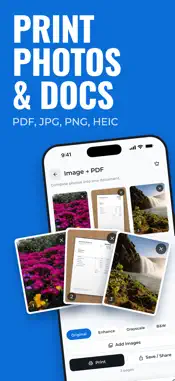
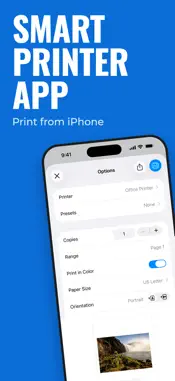
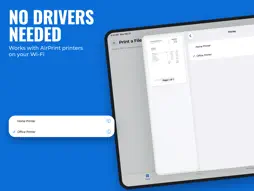
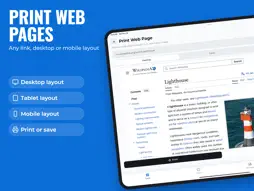
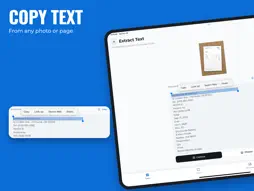
Scan on your iPhone and get it on your Mac. Print photos, PDFs and web pages over Wi-Fi. Sign and edit documents, pull text out of any page, and summarize or translate it, all in one app for iPhone, iPad and Mac. SCAN ON IPHONE, LAND ON YOUR MAC Pair your iPhone with your Mac once by scanning a QR code Every scan you send arrives on your Mac automatically On the Mac, print, edit, merge or extract text from received scans PRINT OVER WI-FI Print photos and PDFs (PDF, JPG, PNG, HEIC) to AirPrint printers on your Wi-Fi network No drivers and no cables Choose copies, page range, paper size and orientation in the print dialog On Mac, see the printers available on your network PRINT WEB PAGES Paste a link and the page opens in the app Pick a desktop, tablet or phone layout Print it, or save it as an image SCAN DOCUMENTS Document camera on iPhone and iPad with automatic edge detection and perspective correction Original, Enhance, Grayscale and Black & White filters Scan several pages into one PDF PHOTOS TO PDF Combine photos, scans and PDFs into one PDF, in order Remove any page you don't need before saving SIGN & EDIT PDFS Draw your signature or import a photo of it, then save it for one-tap reuse Add text, images and your logo to any PDF or image Stamp a text or image watermark across every page Adjust size, color, opacity, rotation and position, and hide or lock layers Rotate, delete or add pages Print the result or save it as a PDF COPY TEXT FROM ANY PAGE Take a photo or pick an image and extract its text Text recognition runs on your device and works offline Select and copy the text SUMMARIZE & TRANSLATE Get the key points of a long document Translate text into 29 languages Get a suggested file name or document type AI features send the text you enter to OpenAI through our server, only after you agree. We don't keep your text. PRIVACY No account needed Scanning, text recognition, editing and printing happen on your device Scans sent to your Mac are deleted from our server after delivery, or 30 minutes after upload at the latest SUBSCRIPTIONS We offer auto-renewing subscriptions and a one-time lifetime purchase. Prices are shown in the app before you buy. Payment is charged to your Apple Account when you confirm the purchase. A subscription renews automatically unless you cancel it at least 24 hours before the end of the current period. Renewal is charged within the 24 hours before the period ends. Manage or cancel subscriptions in your Apple Account settings at any time after purchase. Terms of Use (EULA): https://www.apple.com/legal/internet-services/itunes/dev/stdeula/
What's New
Version 3.0.0 2026-11-20
- New Home: open the app and pick what you want to print (a file, a web page, or a scan) and you’re in the tool in one tap. - Print several files at once: add m...- New Home: open the app and pick what you want to print (a file, a web page, or a scan) and you’re in the tool in one tap. - Print several files at once: add multiple PDFs or images, drag to reorder, and print them as one job. - Preview before you print: see your file full size, zoom in on images, and scroll through every PDF page. - Scan & Merge upgrades: tap a page to see it full size, drag pages to reorder them, and see your filter (Enhance, Grayscale, B&W) live before printing. - Faster web page printing: print or save the same page again instantly, and use the new refresh button to reload it. - Smoother performance and small fixes. Technical Analysis
Package Overview Basic metadata
Bundle ID
com.ai.smart.printer.scanner.app Current Version 3.0.0
Minimum iOS 15.5
Package Size App Store Size
Package Metadata 0 / 0 version records
Detailed binary, privacy manifest, framework, and Info.plist results have not been indexed for this package yet. The verified App Store and archive metadata above remains available.
Known Version Records
0 version records with stored package metadata
Stored metadata does not guarantee a package is currently available to download.
| Details | Version / IDs | Version date | Action |
|---|