Preview







Description
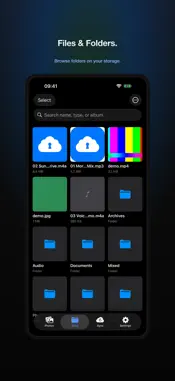
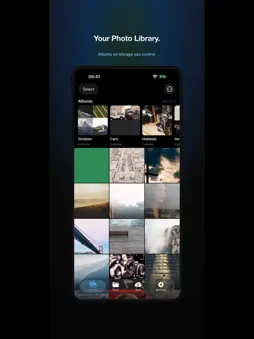
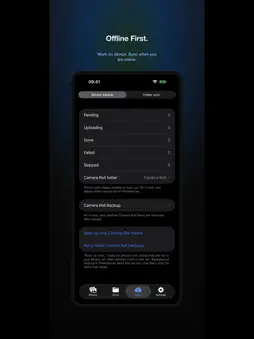
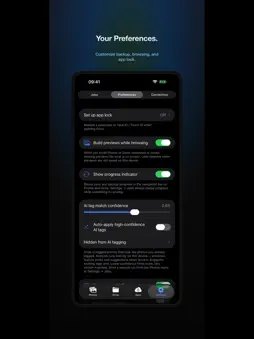
Your photos. Your files. Your cloud. Not theirs. DriveApp is a focused drive backup app for people who want the comfort of a photo library and a file drawer just like in the cloud, without giving their library to a big tech account. Connect your own private S3 storage, enable client-side encryption, and back up from your phone. Browse everything from one place in peace. Why people choose DriveApp - Photo library: See your camera roll, track what is backed up, and upload new shots in the background. - Albums and favorites: Organize pictures, including a hidden album when you need privacy on the device. - Cloud files: Browse folders, upload documents, rename, move, and keep downloads in order. - Previews built in: Open PDFs, text, zip archives, photos, video, and audio without leaving the app. - Search that finds things: Filter by file type and jump straight to the picture or document you need. - AI tags on device: Apple Vision suggests tags from photos you already labelled. Review every suggestion before it is applied, and nothing leaves the phone. - Zoom and inspect: Pinch or double tap photos and reader pages to read the fine print. - Backup overview: Check what on your phone still needs uploading and let the queue run while you do other things. - Your storage only: Data goes to the S3 bucket you configure. DriveApp does not host your files on our servers. - Optional encryption: Client-side encryption is available and recommended if you want content protected on the device before it uploads. - Works with standard S3: Use AWS or any S3-compatible provider you already trust. - App lock: Optional Face ID passcode to open the app. Built for everyday use Open Photos to back up memories. Open Drive to drop in a PDF or zip. Use Sync for offline-friendly backup. Watch upload progress under Settings Jobs. Tune backup, browsing, and app lock in Preferences. Perfect for - Anyone replacing separate photo and file cloud apps with storage they control - People who already pay for object storage and want a simple iPhone app on top - Privacy-minded users who still want online backup convenience - Travelers and creators with large camera rolls to safeguard Get started in seconds Open DriveApp, add your storage connection in Settings, run the connection test, then open Photos or Drive.
What's New
Version 1.1.0 2026-11-16
DriveApp 1.1.0 — AI tagging and smarter search. • AI tags: on-device suggestions built from photos you already labelled, reviewed per tag before anything is ap...DriveApp 1.1.0 — AI tagging and smarter search. • AI tags: on-device suggestions built from photos you already labelled, reviewed per tag before anything is applied • Advanced search: filter the vault by images, video, audio, documents, or archives, in list or grid • Previews for PDFs, zip archives, text, photos, video, and audio • Pinch or double tap to zoom photos and reader pages • Albums show which photos they already contain, with clearer hide and unhide controls • Photos grid keeps paging to the real end of large libraries • Fixes: lightbox share and save progress, folder delete and trash restore leftovers Same privacy as always: your bucket, your data, optional client-side encryption before upload. Technical Analysis
Package Overview Basic metadata
Bundle ID
com.h4kbas.driveapp Current Version 1.1.0
Minimum iOS 17.0
Package Size App Store Size
Package Metadata 0 / 0 version records
Detailed binary, privacy manifest, framework, and Info.plist results have not been indexed for this package yet. The verified App Store and archive metadata above remains available.
Developer Information
Known Version Records
0 version records with stored package metadata
Stored metadata does not guarantee a package is currently available to download.
| Details | Version / IDs | Version date | Action |
|---|