Preview


Description
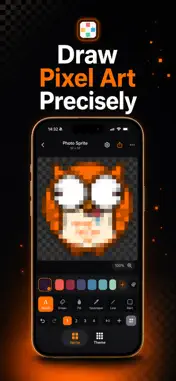
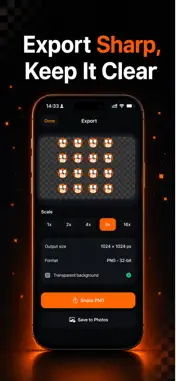
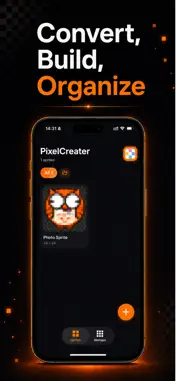
PixelCreater is a clean, modern pixel-art studio for iPhone and iPad. Sketch crisp sprites, pixelate your photos, and export transparent PNGs that are ready for games, stickers, emoji and icons. FEATURES • Precise drawing — pencil, eraser, fill, eyedropper, line and rectangle • Photo to pixel art — import a photo, pinch to choose the area, pick a resolution, done • True transparency — untouched pixels stay clear; export crisp 32-bit PNG • Pro tools — layers with opacity, mirror symmetry, adjustable brush, unlimited undo/redo • Tilemaps — arrange sprites into tilesets and level maps, export as a single PNG • Export up to 16× — sharp nearest-neighbor scaling; share or save to Photos • Stay organized — folders, duplicate, rename and manage every project • Made for touch — smooth pinch-zoom, pan and a delightful dark interface • iPhone & iPad — no account, no sign-up, just create Whether you're making game sprites, app icons, pixel emoji or just doodling, PixelCreater makes pixel art fast, precise and fun. Download PixelCreater and start creating today.
What's New
Version 1.1.0 2026-08-28
Version 1.1.0 — draw with an AI, and make it move. GENERATE WITH AI Describe what you want and tap Copy Prompt. Paste it into any AI chat you already use, brin... Technical Analysis
Package Overview Basic metadata
Bundle ID
oraclelin.pixelcreater.app Current Version 1.1.0
Minimum iOS 17.0
Package Size App Store Size
Package Metadata 0 / 0 version records
Detailed binary, privacy manifest, framework, and Info.plist results have not been indexed for this package yet. The verified App Store and archive metadata above remains available.
Developer Information
Known Version Records
0 version records with stored package metadata
Stored metadata does not guarantee a package is currently available to download.
| Details | Version / IDs | Version date | Action |
|---|