
Preview










Description
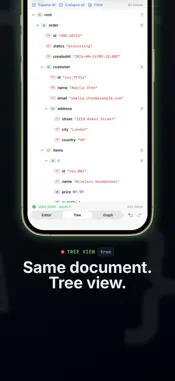
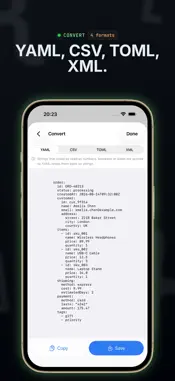
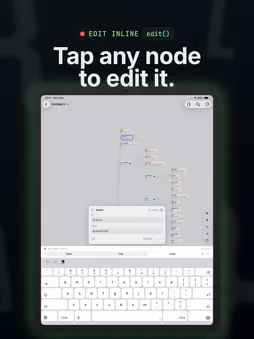
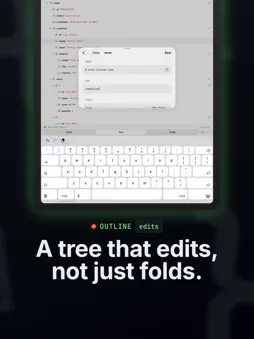
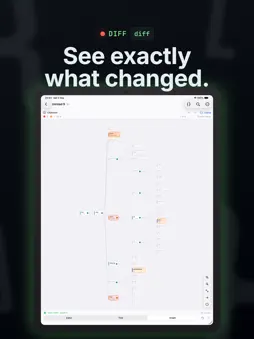
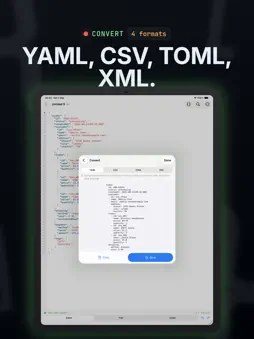
Json Editor: Smart Json turns a wall of JSON into something you can actually read on a phone. The same document, three linked views. Edit in any of them and the other two follow — the text is always the source of truth, so nothing drifts out of sync. EDITOR • Syntax highlighting that re-tokenizes only what you typed, so it stays fast • Line-number gutter, wrap and font size controls • A punctuation bar above the keyboard: braces, brackets, quotes, true, false, null, indent, undo and redo • Invalid JSON gets a plain-language banner naming the problem, its line and its column. Tap Go to jump the caret there, or Fix to repair comments, trailing commas, single quotes and unquoted keys automatically TREE • A collapsible outline with indent guides, type badges and child counts • Search across keys and values, filter by type • Edit any node in place: rename, change type, reorder, duplicate, add, delete GRAPH • A tidy node-link diagram, left-to-right or top-to-bottom • Pinch to zoom, pan, tap a node to expand it, fit to screen • Tap a node to open an editor docked right underneath it — the graph edits as well as it browses • Expand all, expand to a depth, or expand one subtree • Export the graph as PNG or SVG FIND WHAT YOU NEED • One find bar in every view. Text search in the editor with match case and wrap-around; structural search in the tree and graph with scope and type filters, stepping through hits • JSONPath: type an expression and watch it evaluate live, tinting its matches in the editor, the tree and the graph at once. A documented subset of RFC 9535, filter expressions included COMPARE • Diff the open document against a file, the clipboard or a URL • Structural, not textual — reformatting is not a change • Changed subtrees are tinted in the graph, and array elements are paired by identity when they have one CONVERT • Preview your document as YAML, CSV, TOML or XML, each with a plain statement of what that format cannot carry DOCUMENT ACTIONS • Beautify, minify, sort keys, auto-fix • Escape and unescape a JSON string literal • Copy in, copy out, share, and a statistics breakdown • Undo and redo everything, with one history per document shared by every view GETTING JSON IN • Open files from iCloud Drive and Files, with proper open, save and rename • Start a document from the clipboard or from a URL. URL requests are a GET with your own headers, and the last ten are remembered; header values are stored in the keychain, not in plain preferences • A share extension accepts JSON from any app • JSON5 files open too, normalized to JSON with a banner saying what that cost • Imports are named after where they came from, like mydomain.com-users.json BUILT RIGHT • Native SwiftUI for iPhone and iPad, with full keyboard support • Light or dark, or pinned to whichever you prefer • A hand-written parser that preserves key order and keeps number literals exactly as written — no precision lost on a round trip • Works entirely offline. No account, no sign-in, no analytics, no data leaves your device SMART JSON PRO The app is free, and every feature computes and shows you its result for free. Pro is for keeping that result: • Extract JSONPath matches to a new document, plus query history and saved queries • Text diff, jump between changes, copy as a patch, choose the array identity field • Save, share or open a conversion to YAML, CSV, TOML or XML --- Terms of Use: https://mygems.app/term Privacy Policy: https://mygems.app/privacy
What's New
Version 1.2.1 2026-09-24
- Updated app icon for iOS 27. Technical Analysis
Package Overview Basic metadata
Bundle ID
app.mygems.jsoneditor Current Version 1.2.1
Minimum iOS 18.0
Package Size App Store Size
Package Metadata 0 / 0 version records
Detailed binary, privacy manifest, framework, and Info.plist results have not been indexed for this package yet. The verified App Store and archive metadata above remains available.
Known Version Records
0 version records with stored package metadata
Stored metadata does not guarantee a package is currently available to download.
| Details | Version / IDs | Version date | Action |
|---|